Case Study: Red Team (Attack Simulation & Investigation)
Attack Simulation showed how an attacker could move through a cloud environment. But analysts also needed to investigate from other starting points: an exposed identity, an account at risk, a critical asset, or a third-party connection.
The challenge was to give them those different views while keeping each one connected to the underlying attack scenarios.
- UX/UI uplift of the existing Attack Simulation experience
- Design of supporting investigation views
- Cross-account list and graph views
- Tables, side panels, and investigation flows
- Connections between findings, attack scenarios, and remediation
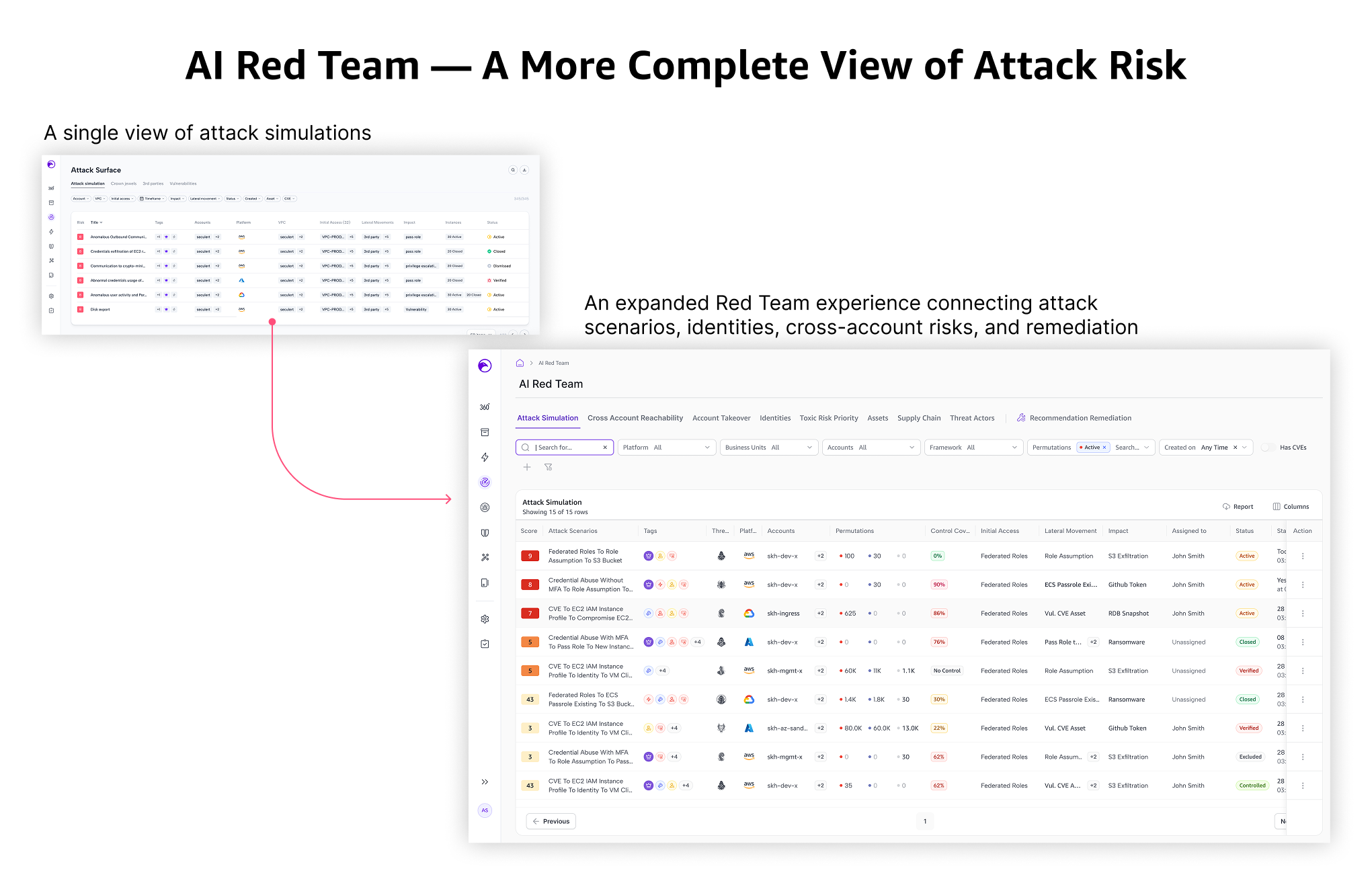
Attack Simulation had been built before I joined. I improved its layout and security context, then designed the supporting views that let users investigate the same attack data from different starting points.
User & Design Strategy
Cloud security analysts investigating exposure, understanding possible attack paths, and deciding what to fix.
- Understand how an attacker could reach a critical asset.
- Start an investigation from an account, identity, asset, or risk.
- See which attack scenarios relate to a finding.
- Review possible remediation actions.
- Attack data involved many connected accounts, identities, and assets.
- A scenario-first view did not support every investigation.
- Each new view needed relevant detail while keeping navigation and interactions familiar..
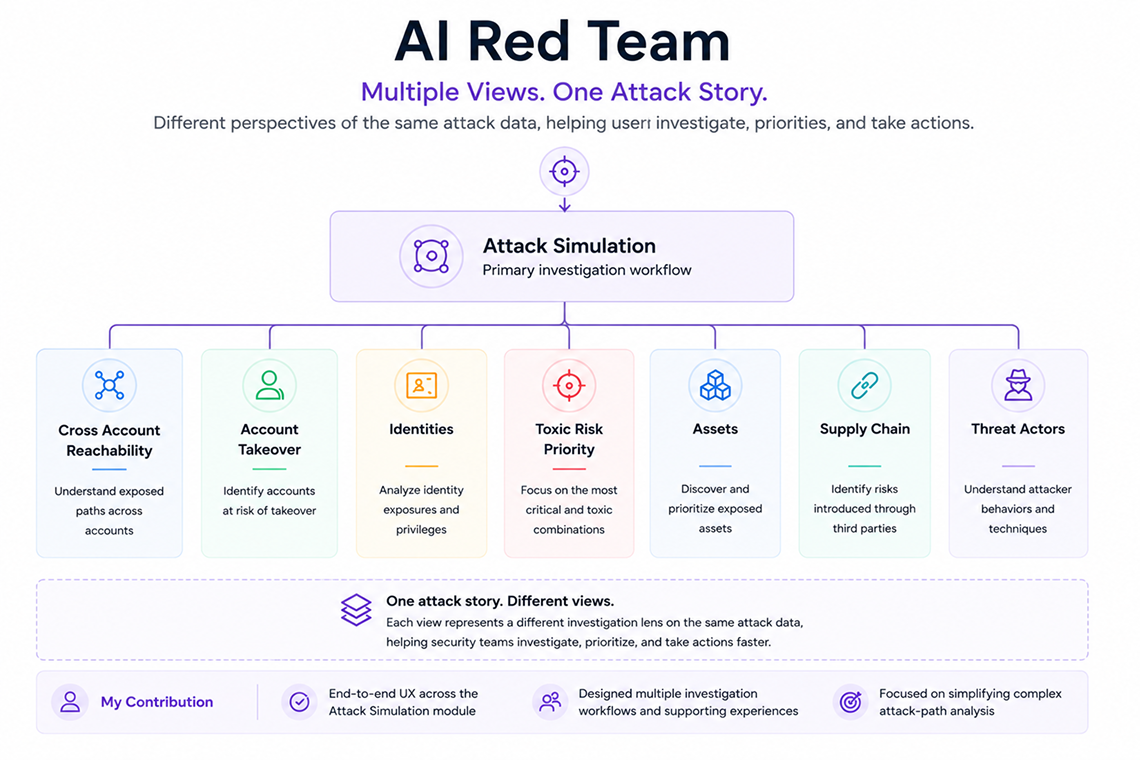
One Attack Story, Different Views
An analyst could start with a question about an account or identity, then open the related attack scenarios to understand the wider context.
We aimed to understand how investigators think and work.
Designing the Investigation Views
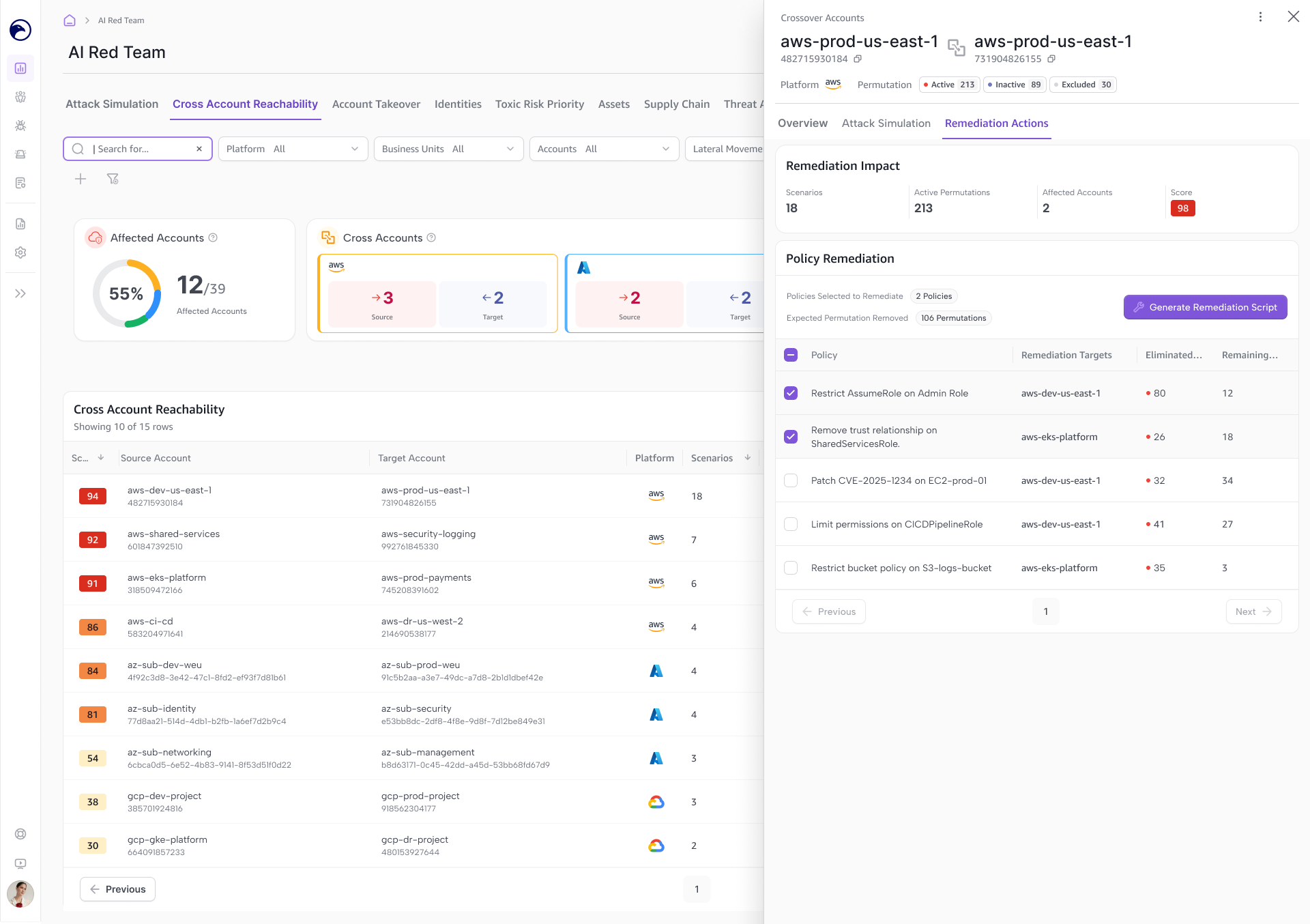
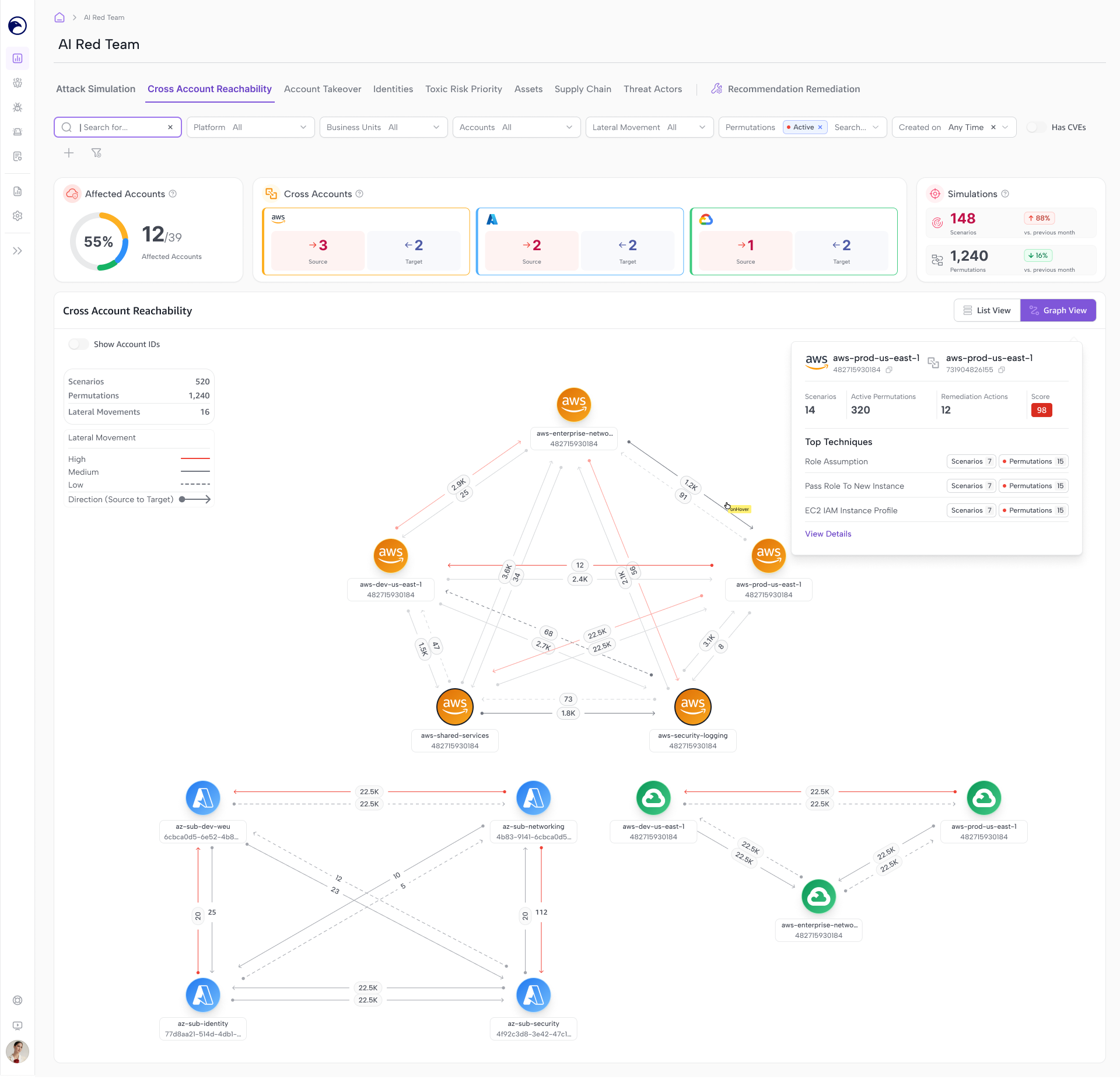
Cross-Account Reachability
Shows how an attacker could move from one cloud account to another.
I worked on both list and graph views. The graph helped explain the relationships between accounts, while the list supported reviewing and comparing individual connections.
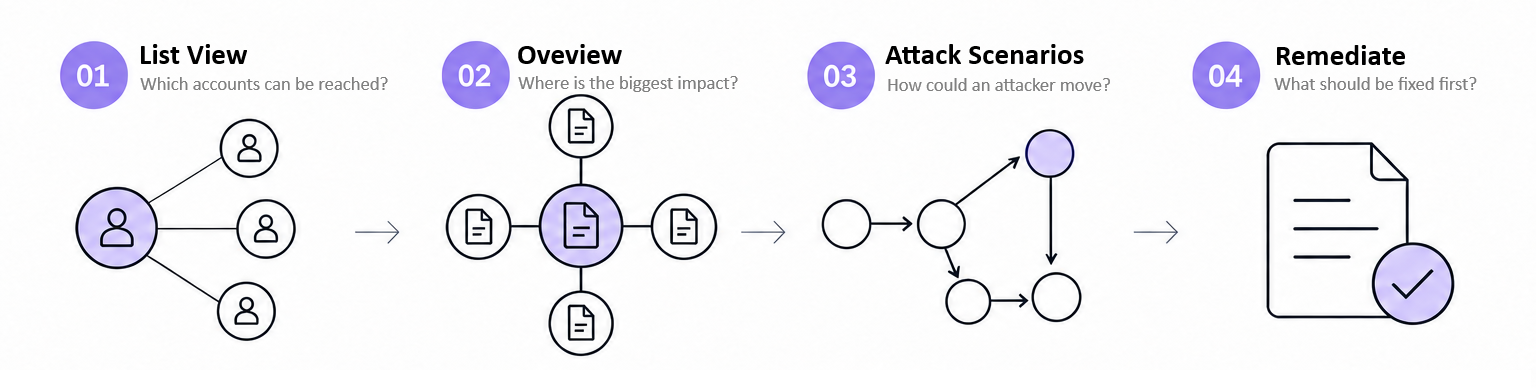
User Flow · From Investigation to Remediation
How users investigate at-risk source and target accounts, trace attack paths, and identify fixes.
UI Screens
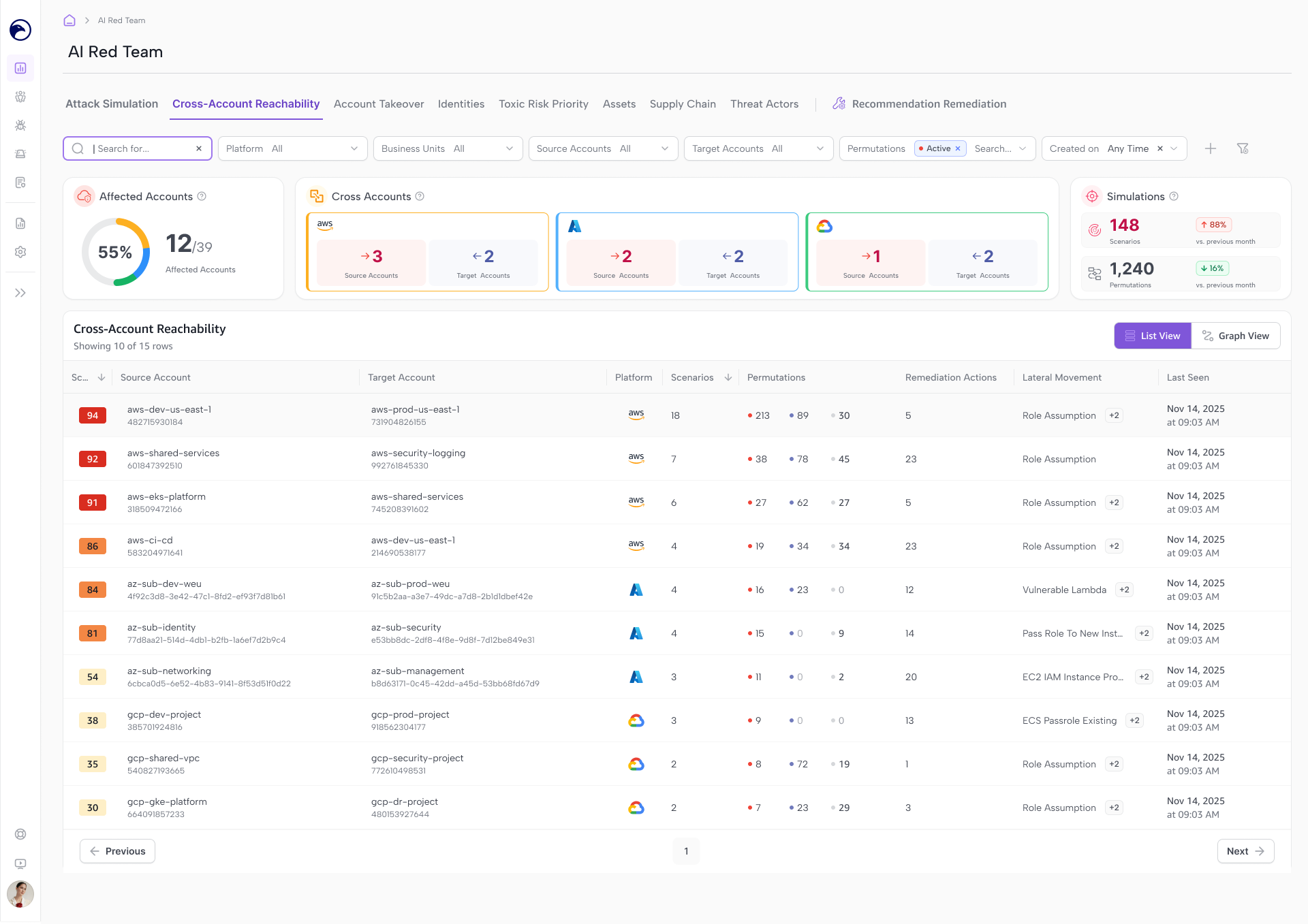
List View · Identify the Connections
See which source accounts could give an attacker access to target accounts, with attack scenario counts for each connection.
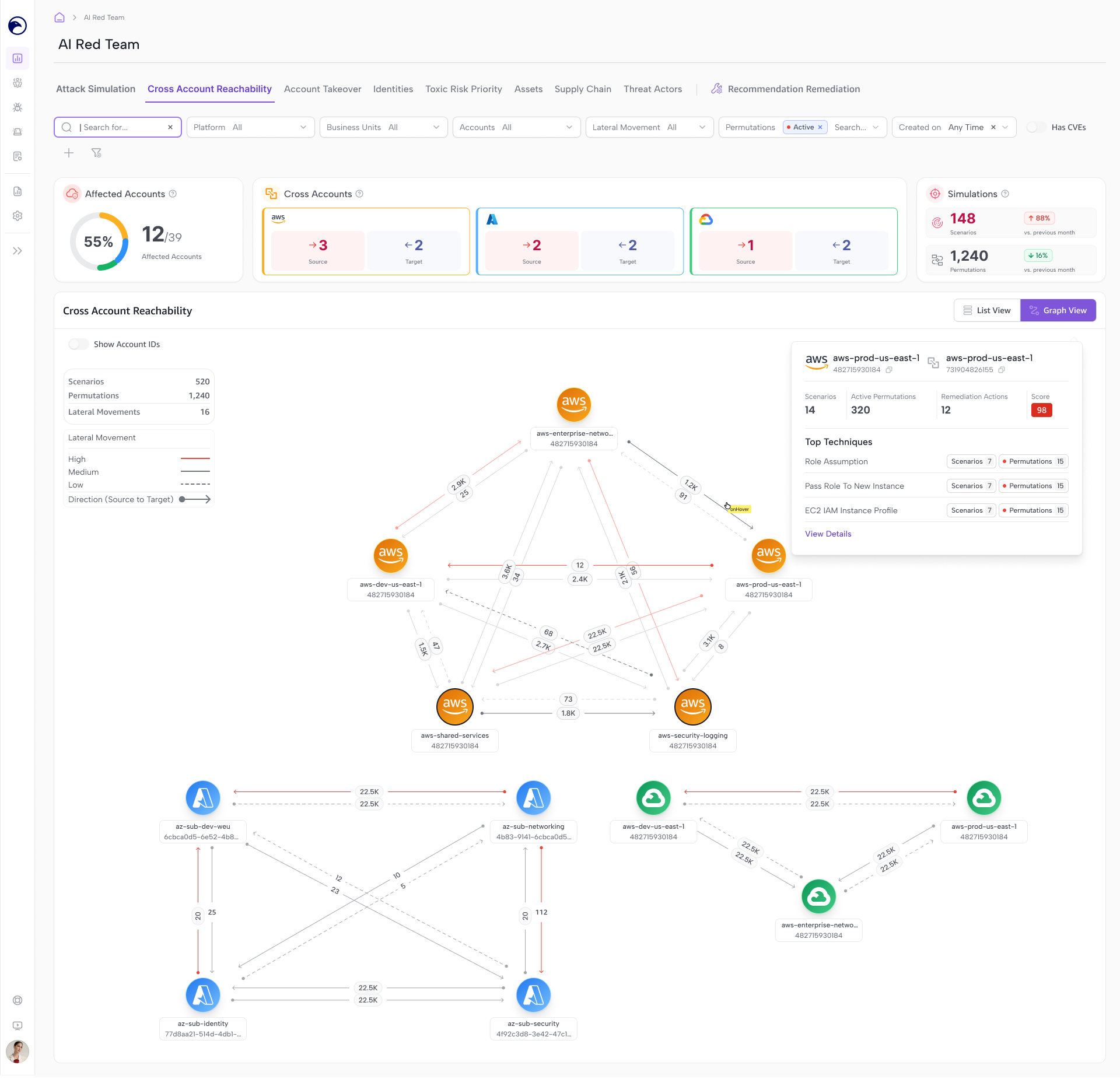
Graph View · Follow the Reach
See how those connections fit together, with directional paths showing how a compromised account could put others at risk.
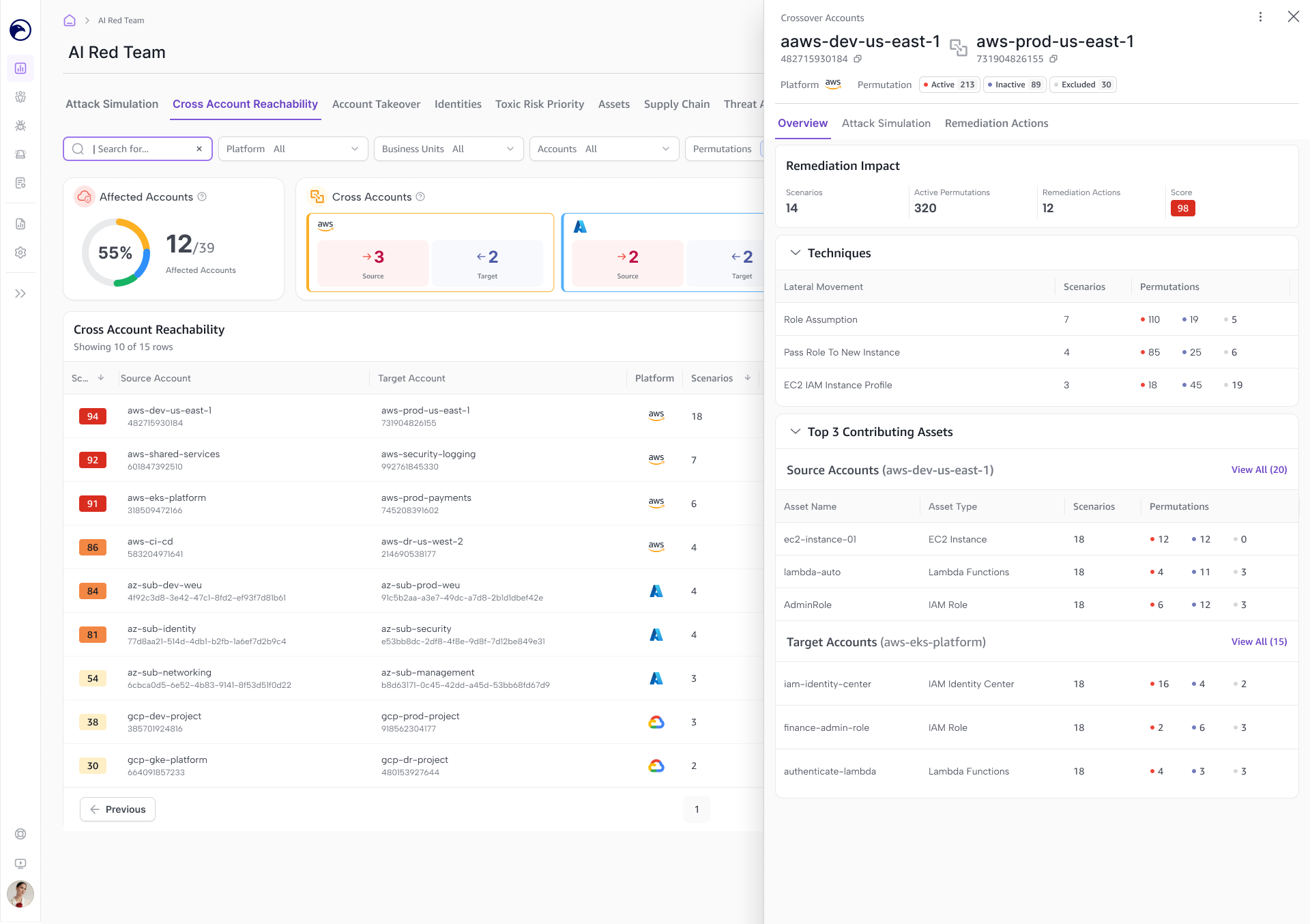
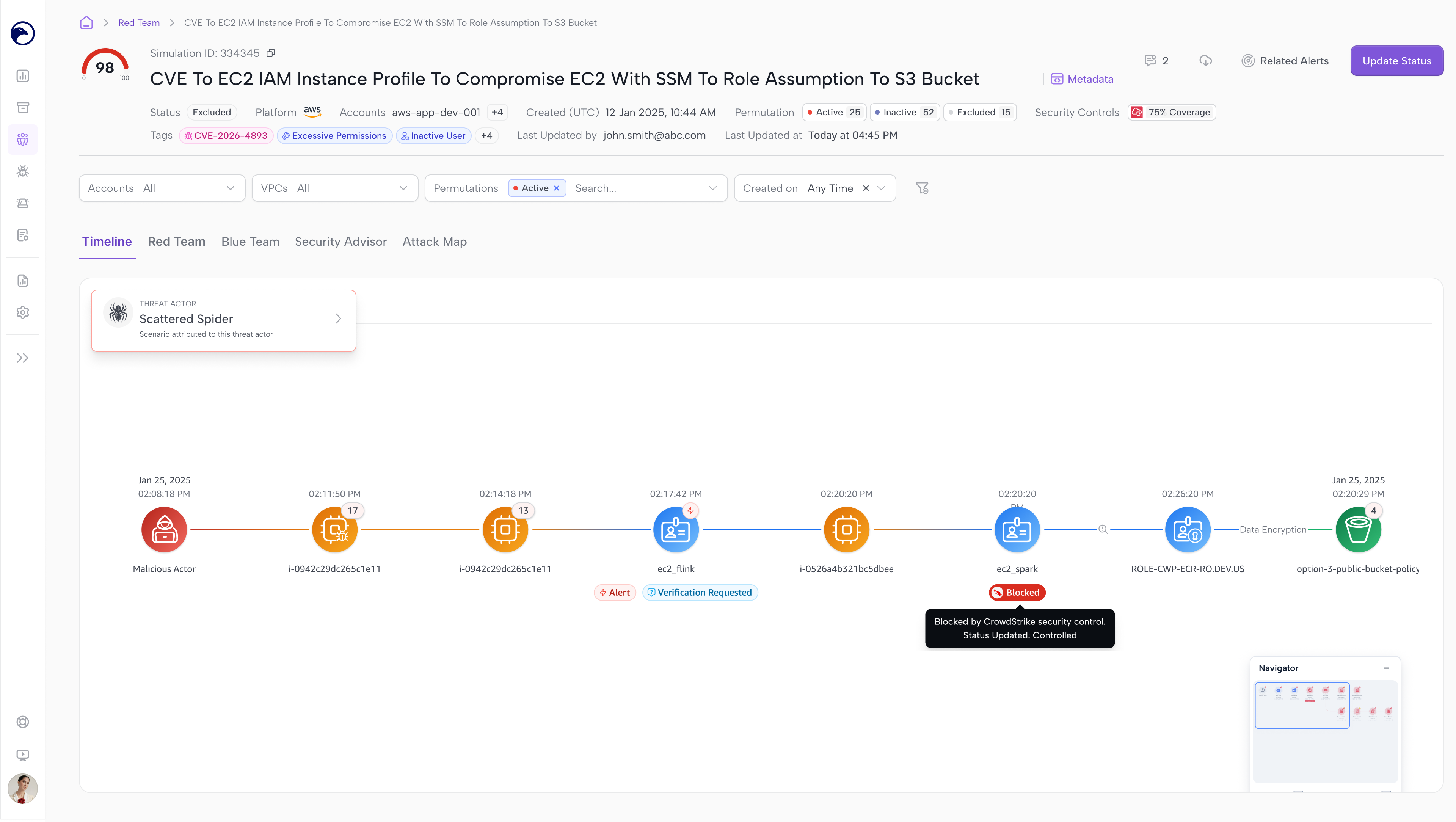
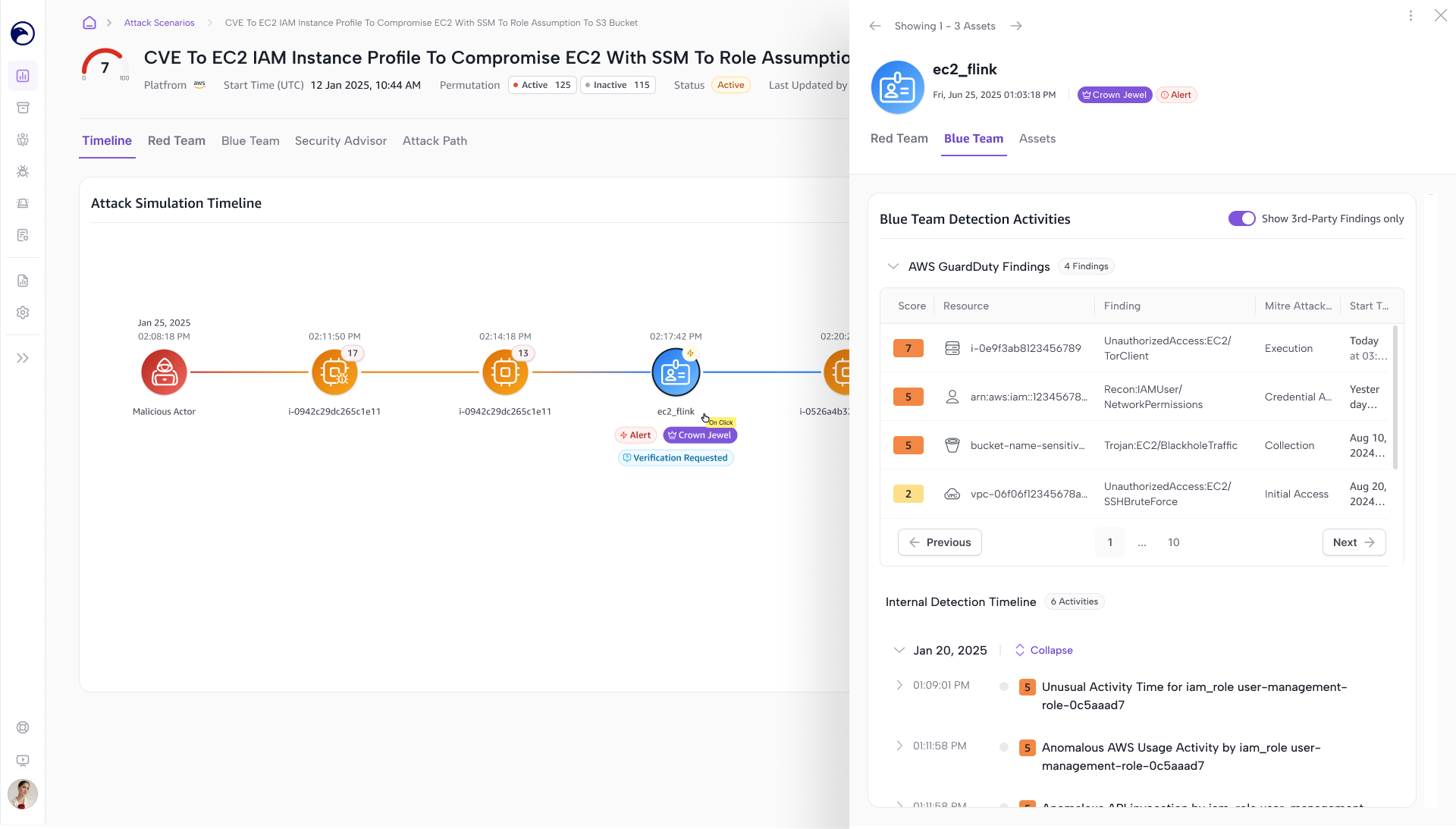
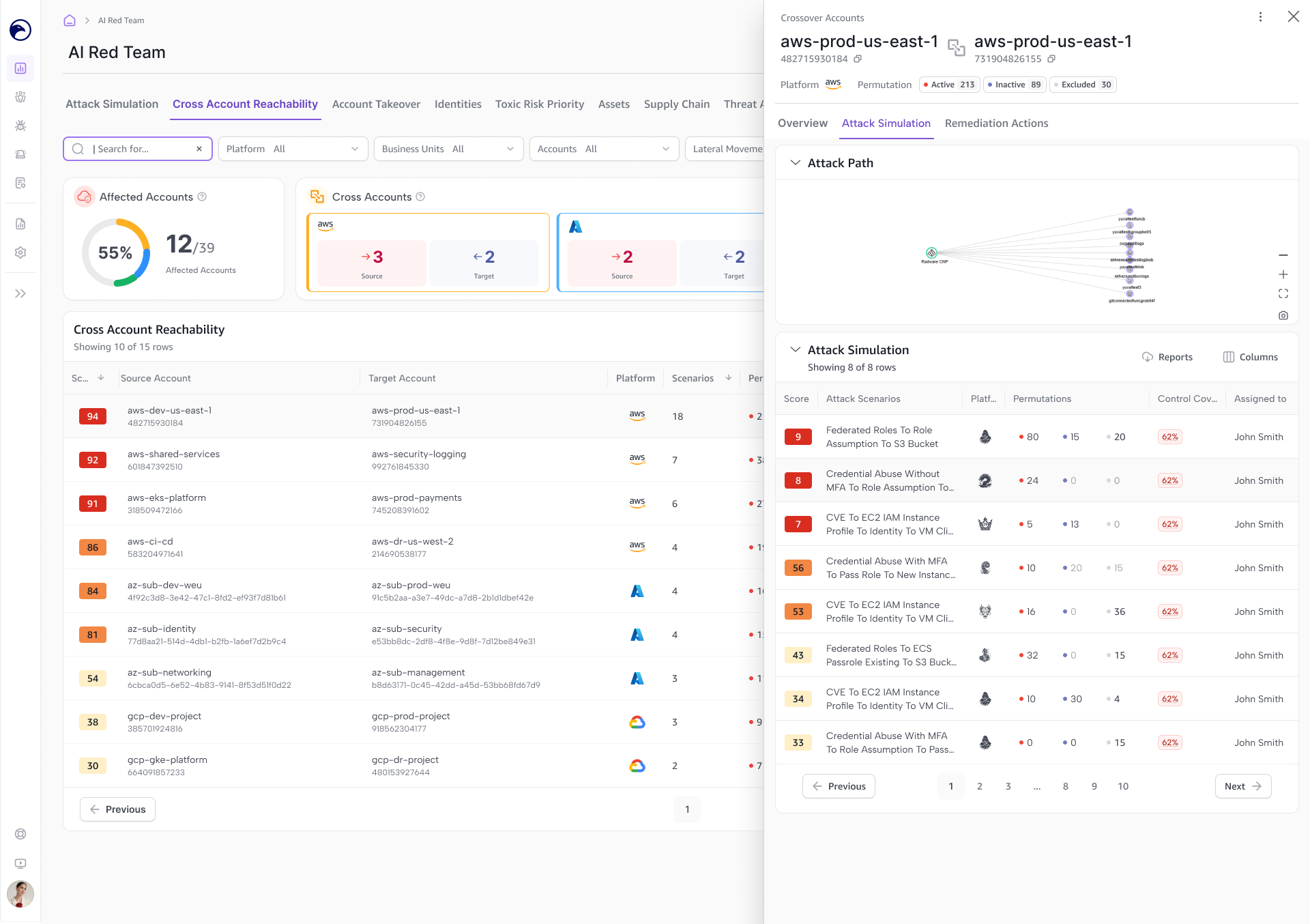
Attack Scenarios · Trace the Attack
Explore how an attacker could move between the selected accounts, with attack paths showing the steps and potential impact.
Remediation · Prioritize the Fix
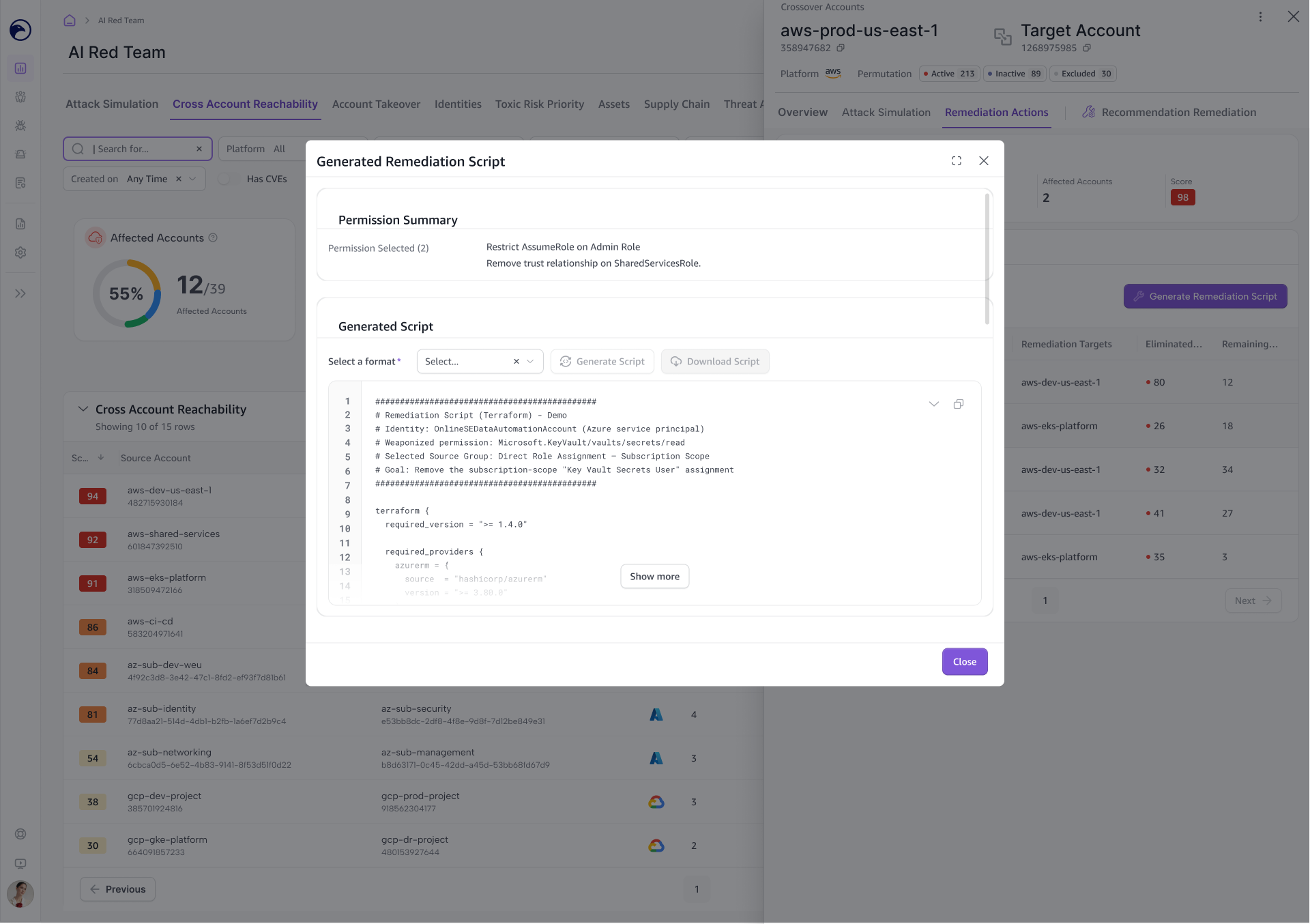
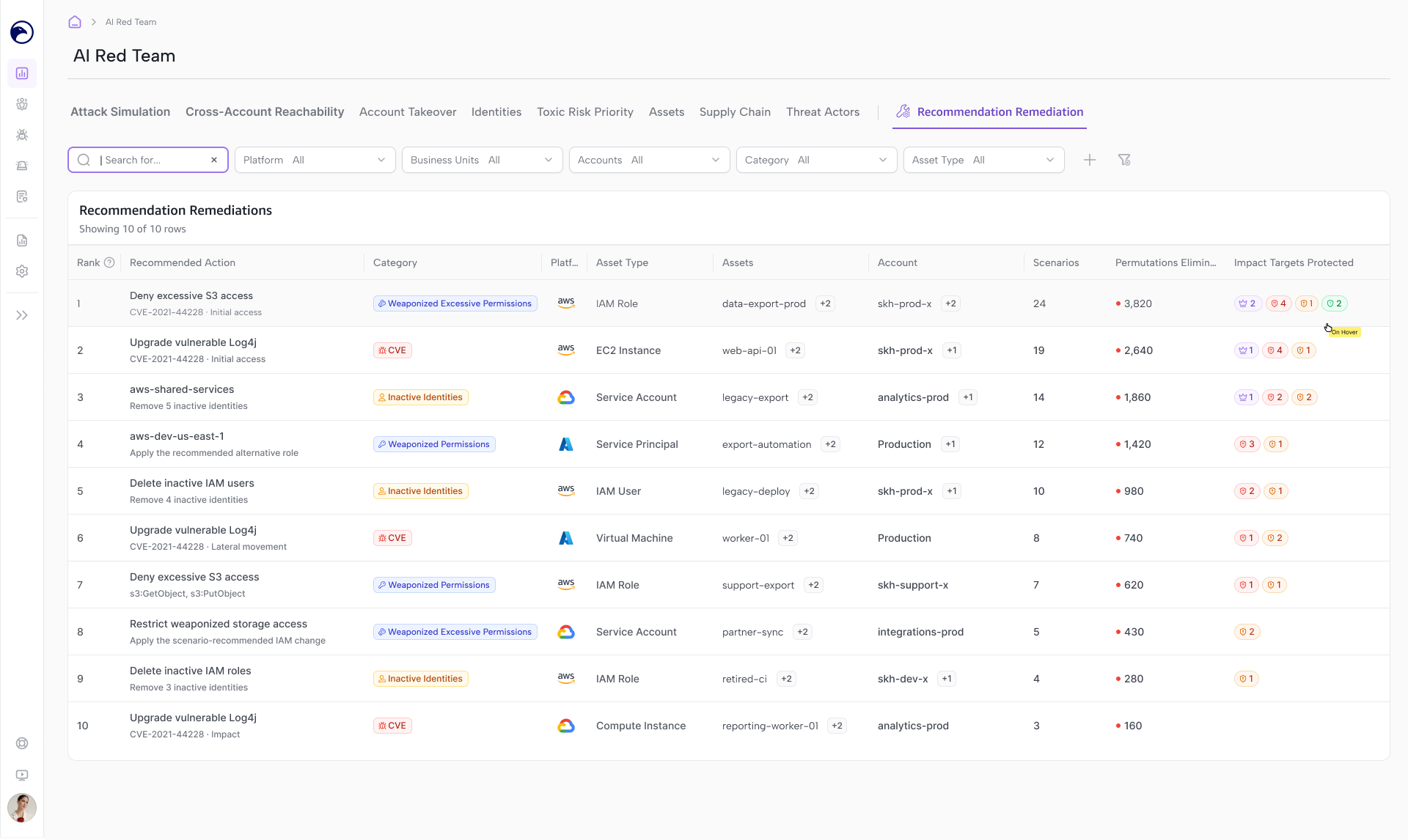
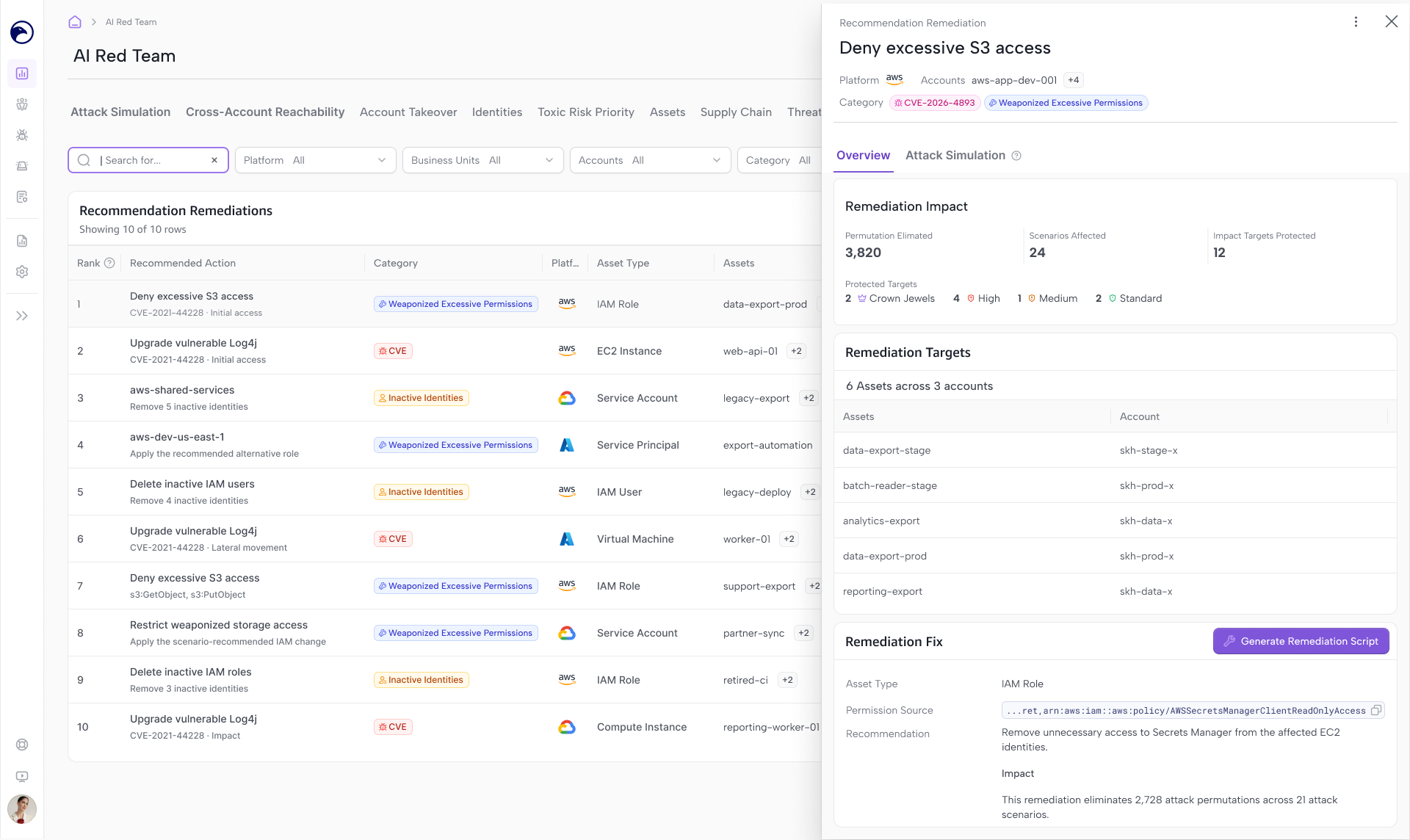
Review recommended policy and permission changes, and generate ready-to-use scripts to reduce the related attack scenarios. Both side panels are accessible from the list and graph views.
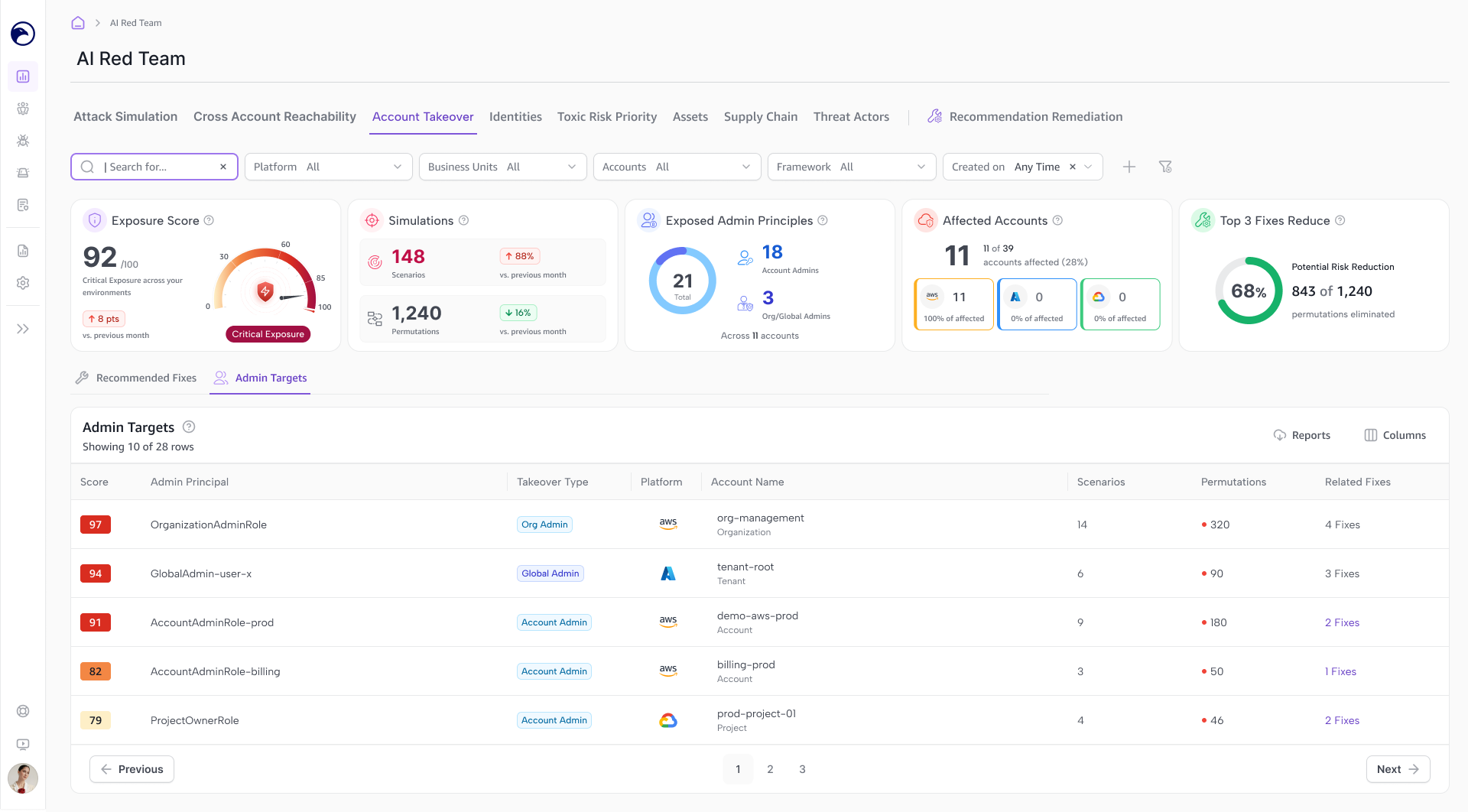
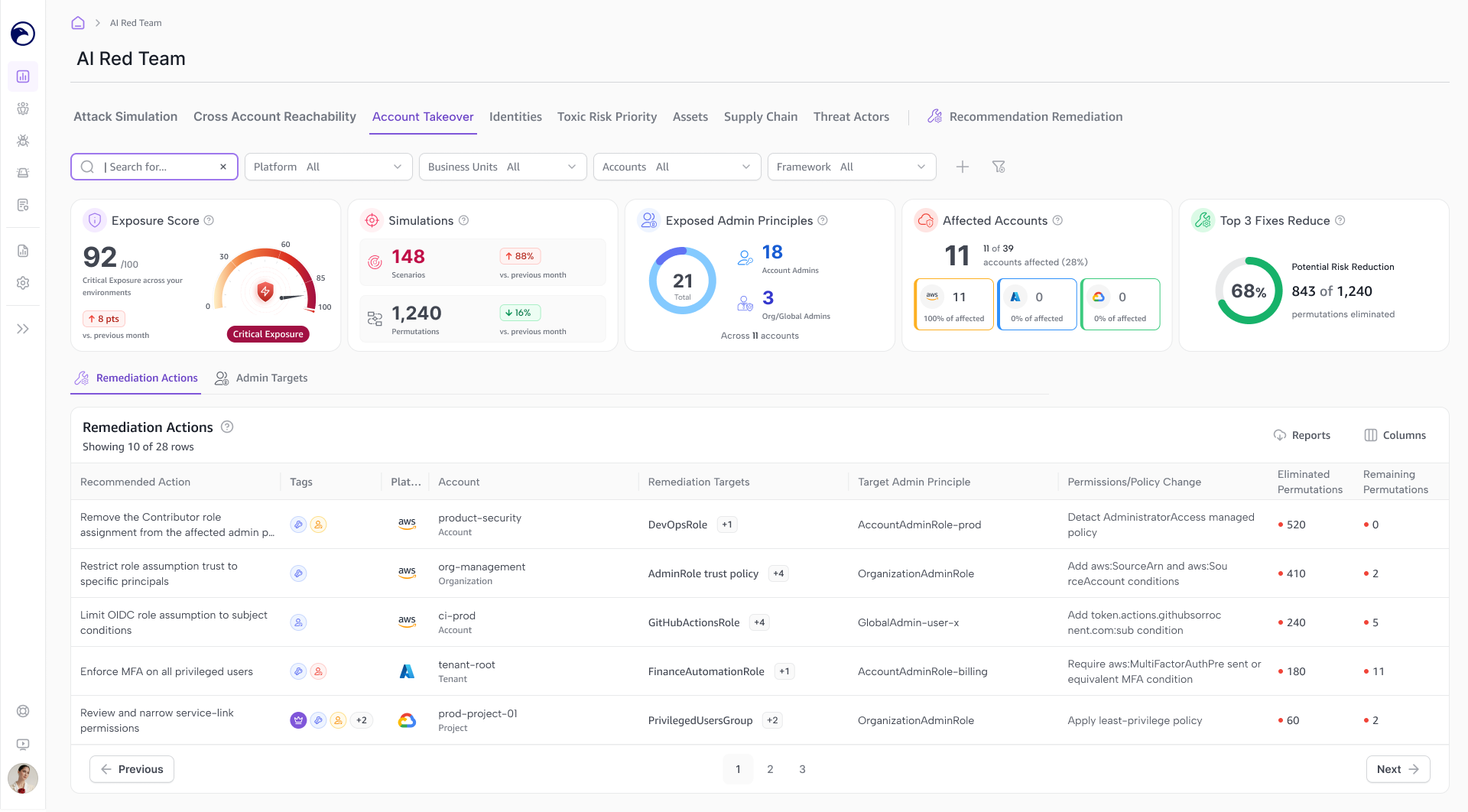
Account Takeover
This view focuses on exposed admin targets and how an attacker could use their privileges to reach critical assets. Admin access has a wider reach than a regular user’s access, making it a valuable target for attackers.
Users can review targets by takeover type, such as Organization Admin, Global Admin, or Account Admin, then explore the related attack scenarios and paths to understand what could be reached.
The view also connects these risks to recommended fixes and policy remediation. Users can review the proposed changes and generate scripts to run in their cloud environment.
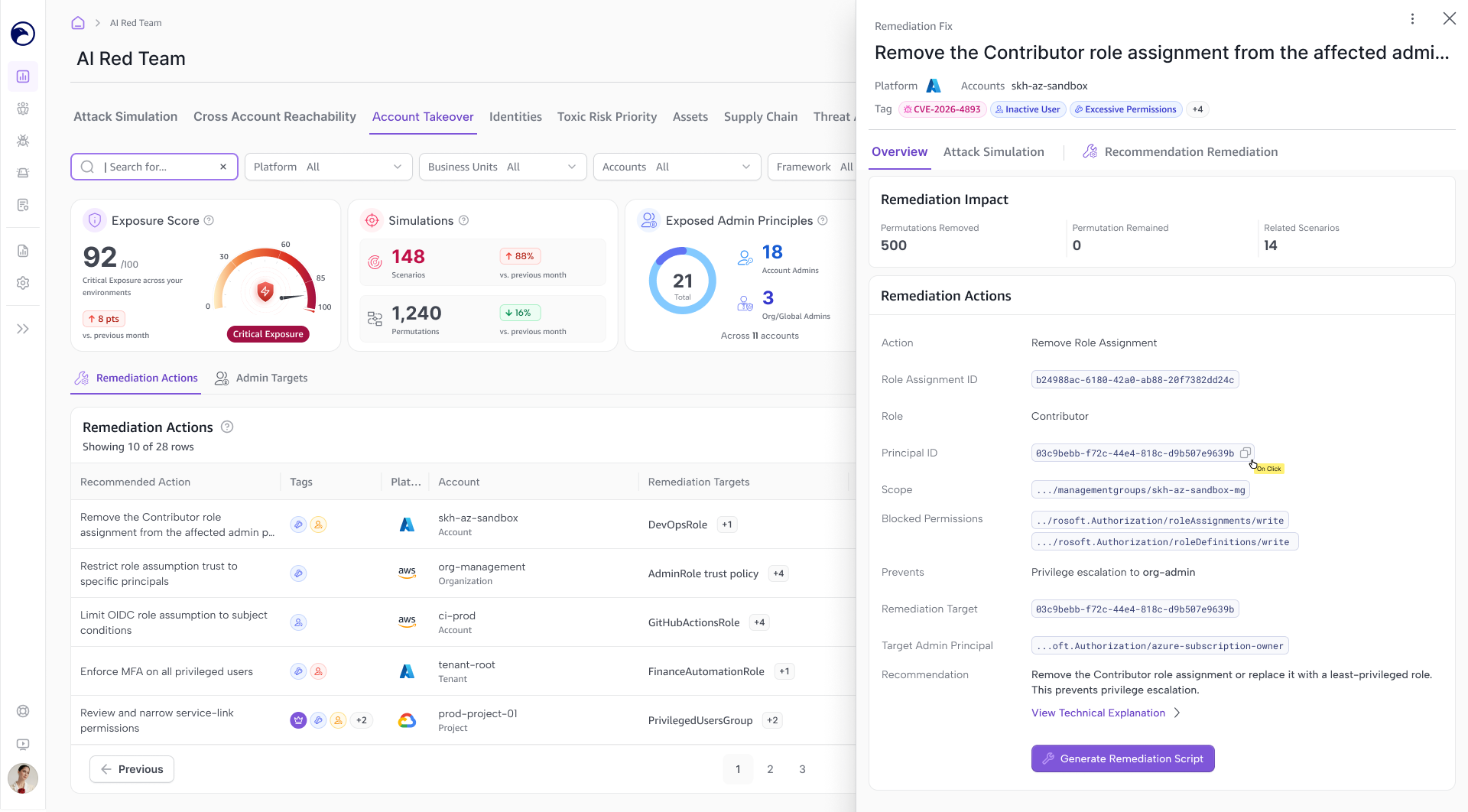
Making Technical Fixes Understandable
Each remediation action opens in a side panel with a plain-language explanation of what to change and where. I worked with Engineering and Research to make the guidance easier to understand, keeping technical details available when needed.
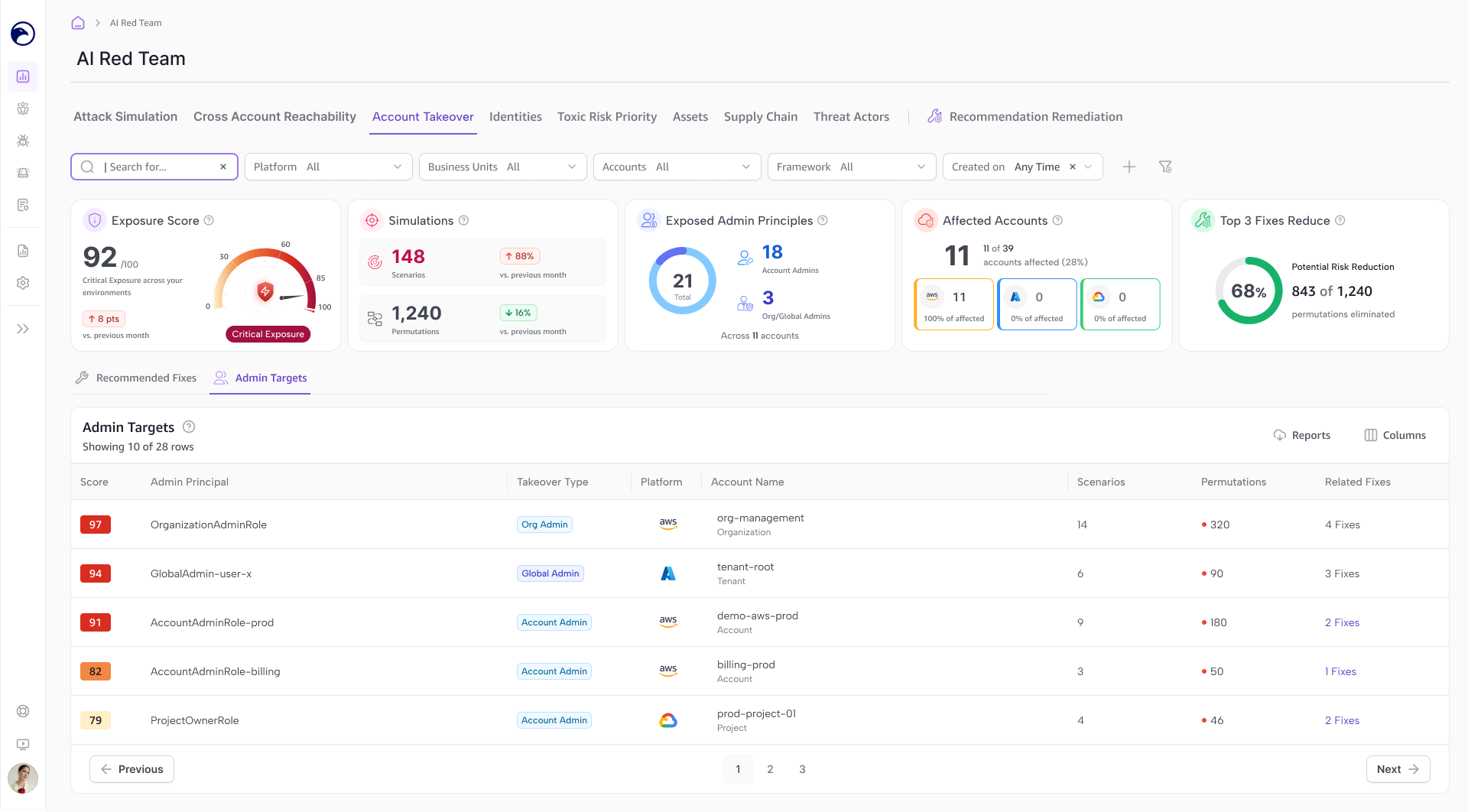
Admin Access, Bigger Impact
Highlights exposed admin targets, such as Organization, Global, and Account Admins, and shows how an attacker could use their reach to access critical assets.
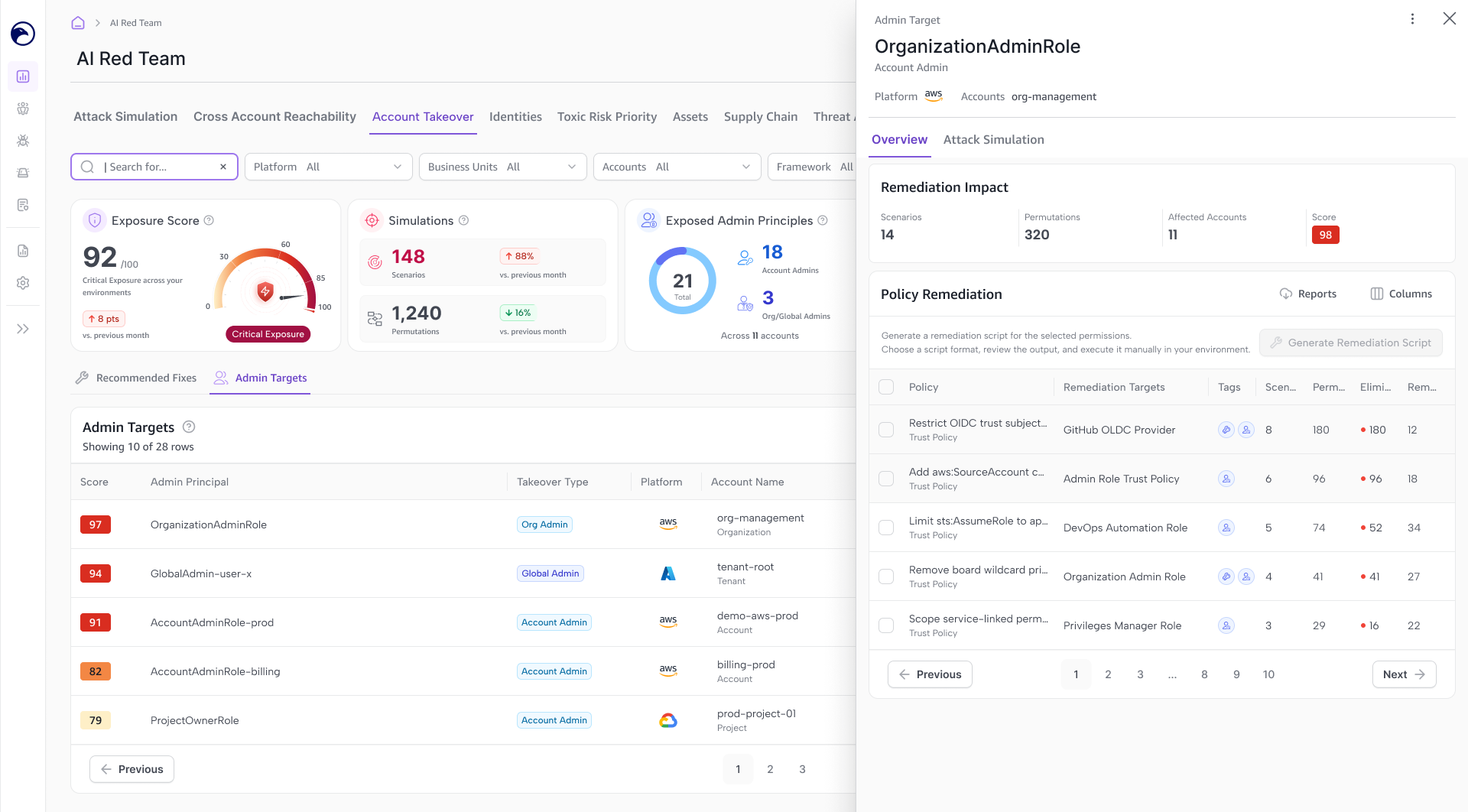
From Policy Gaps to Ready-to-Use Scripts
For each admin target, users can review the policies that need fixing and generate a remediation script, connecting the identified risk with a concrete next step.
More Ways to Investigate
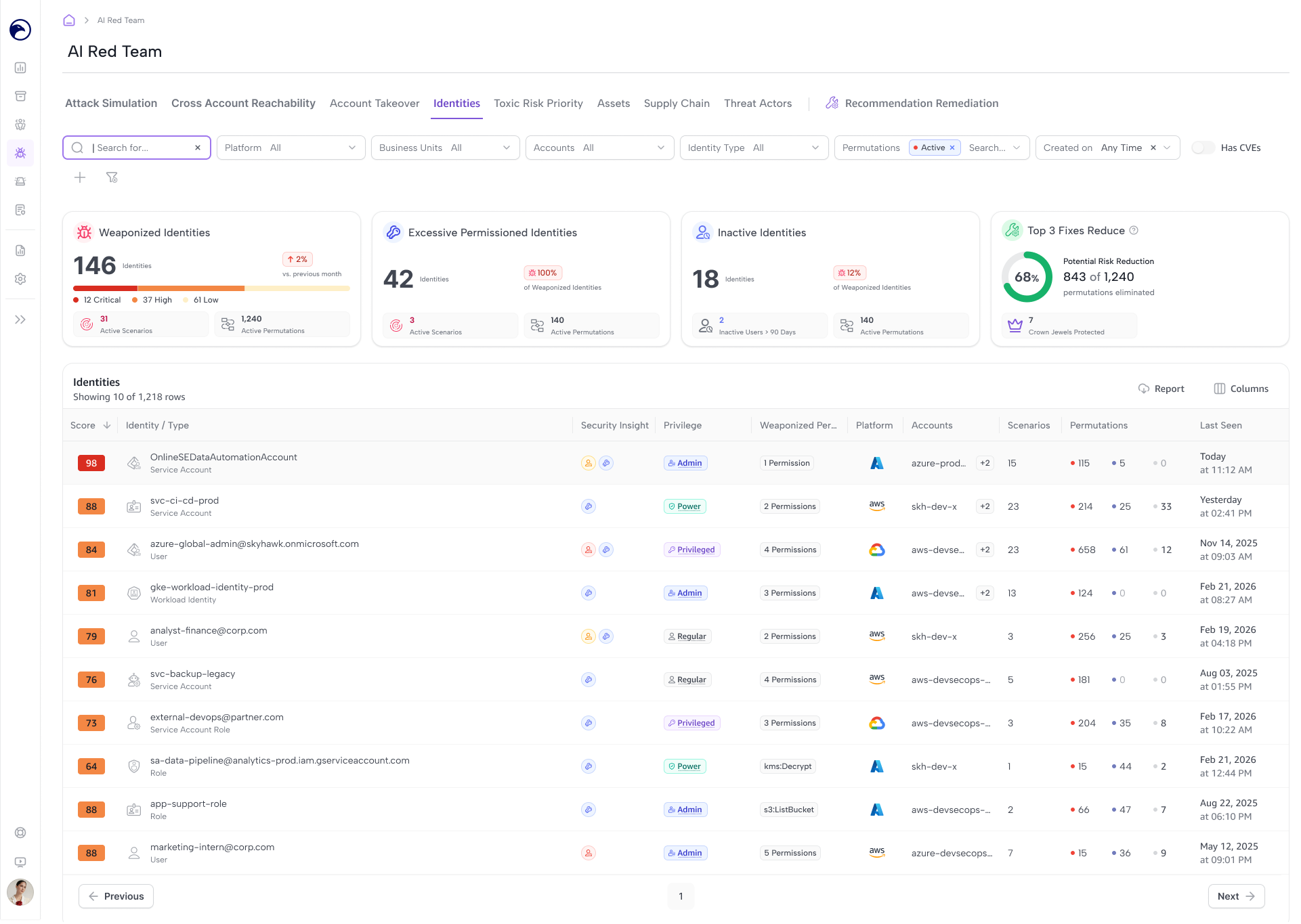
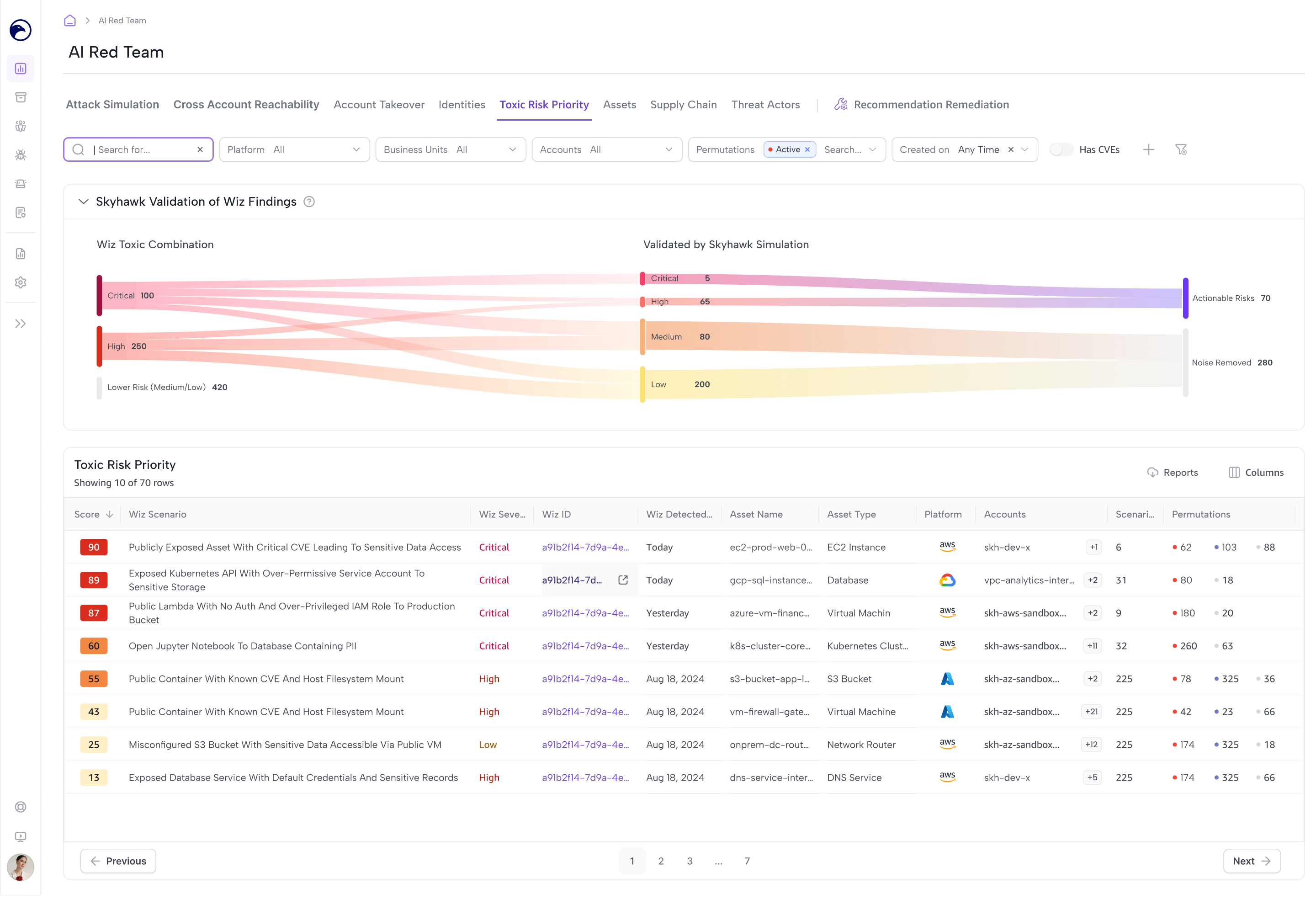
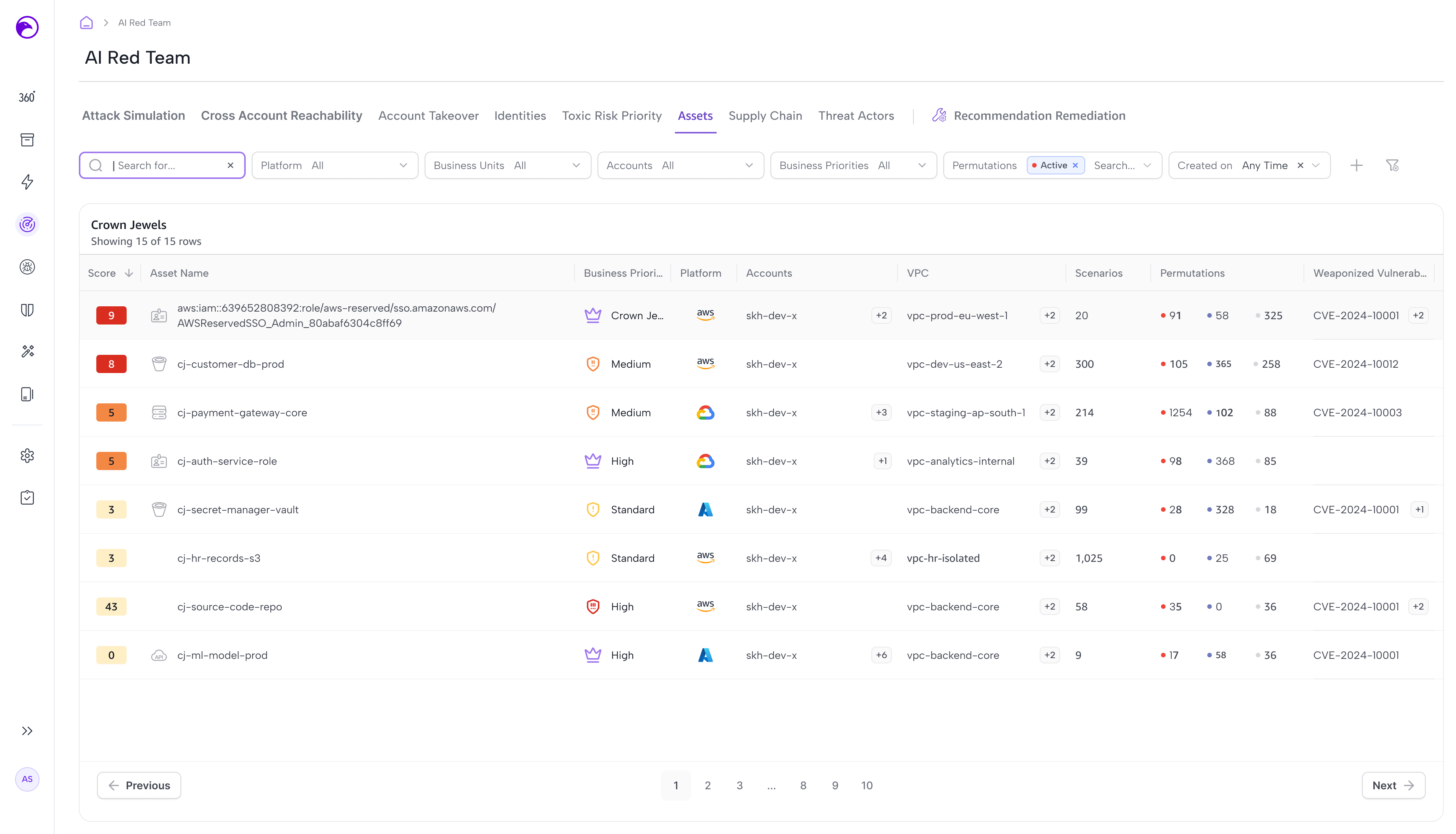
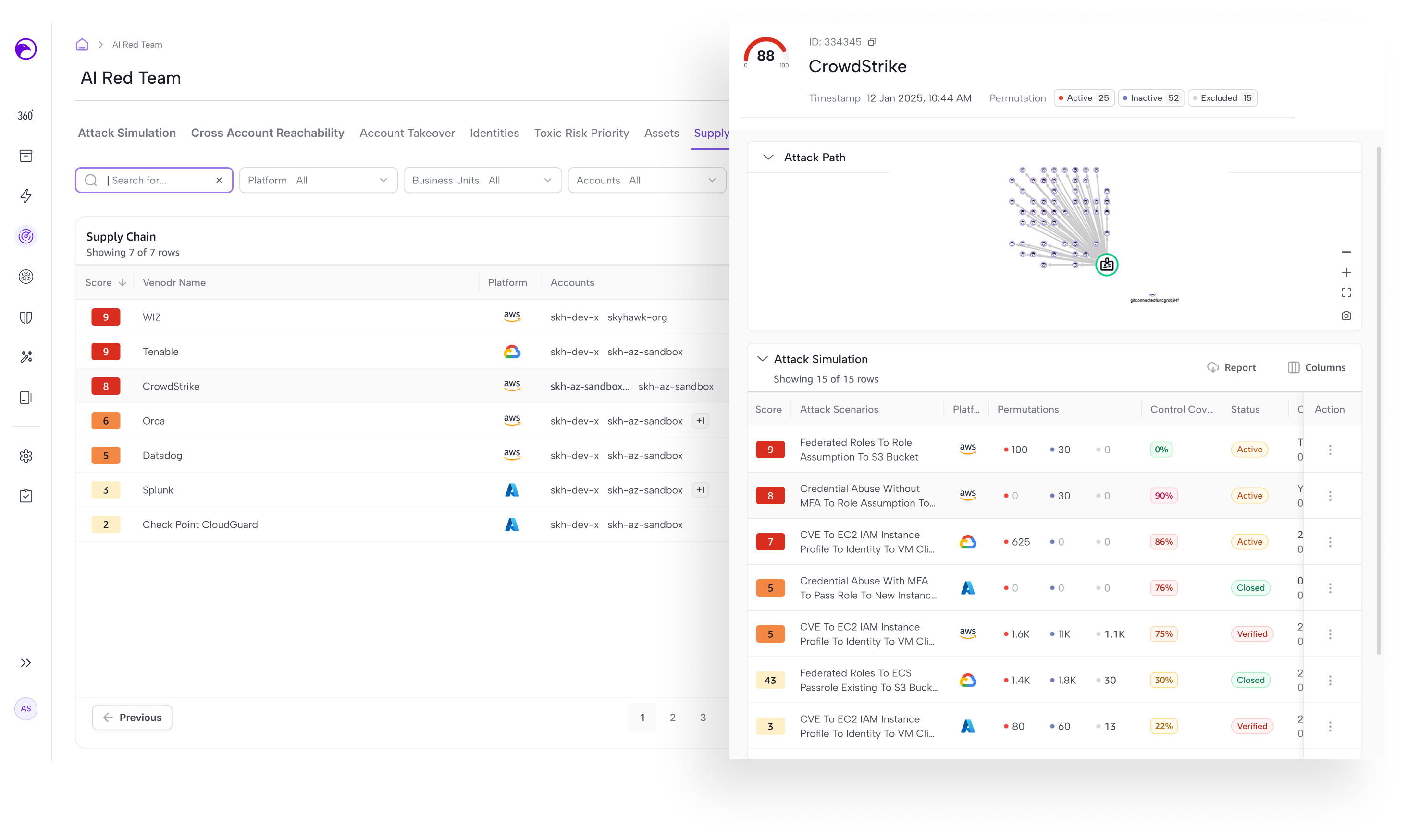
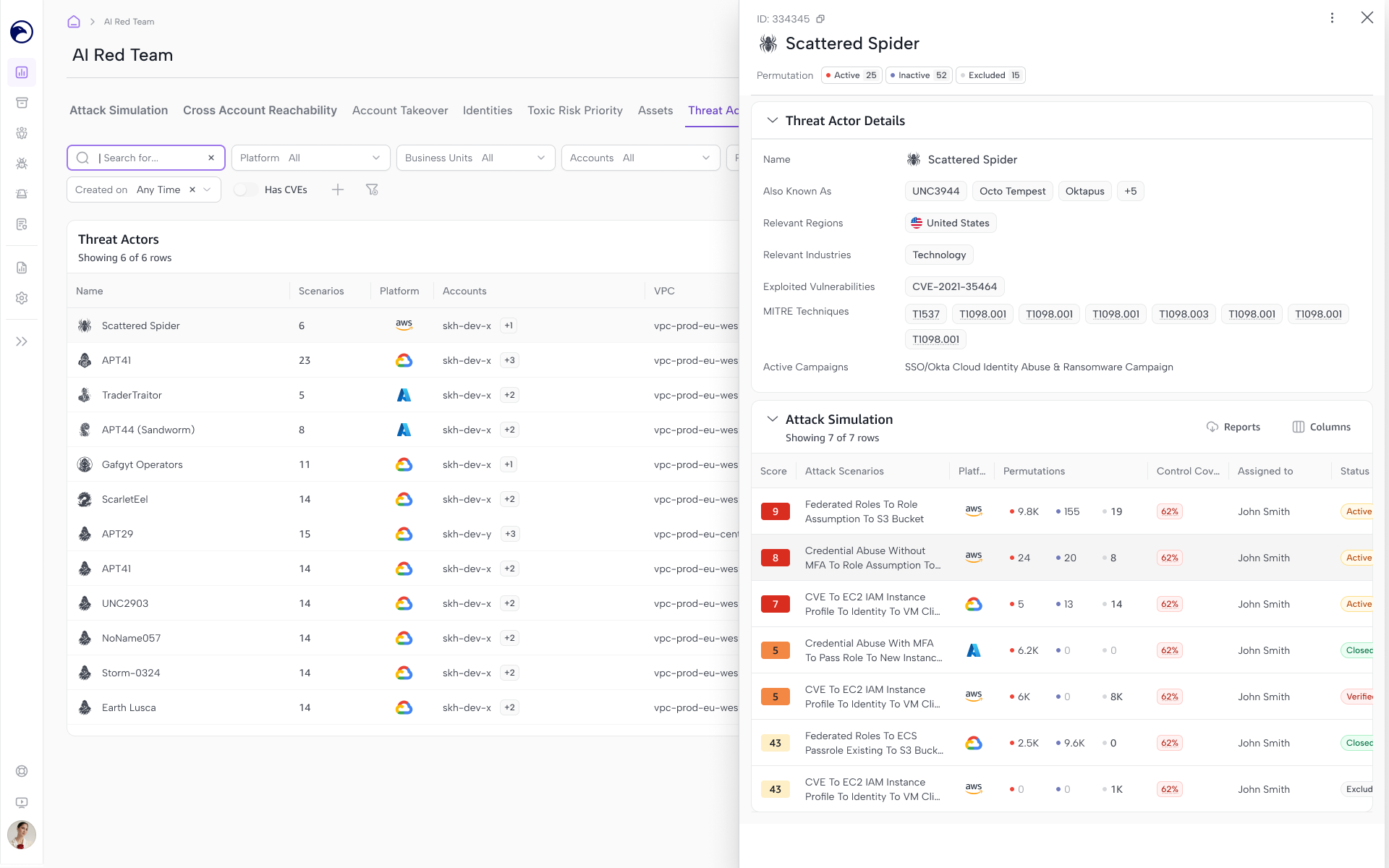
I designed additional views for Identities, Toxic Risk Priority, Assets, Supply Chain, and Threat Actors. Each gives analysts a different starting point—from an identity’s privileges to a risky combination of findings or a third-party connection—with access to related attack scenarios for deeper investigation.
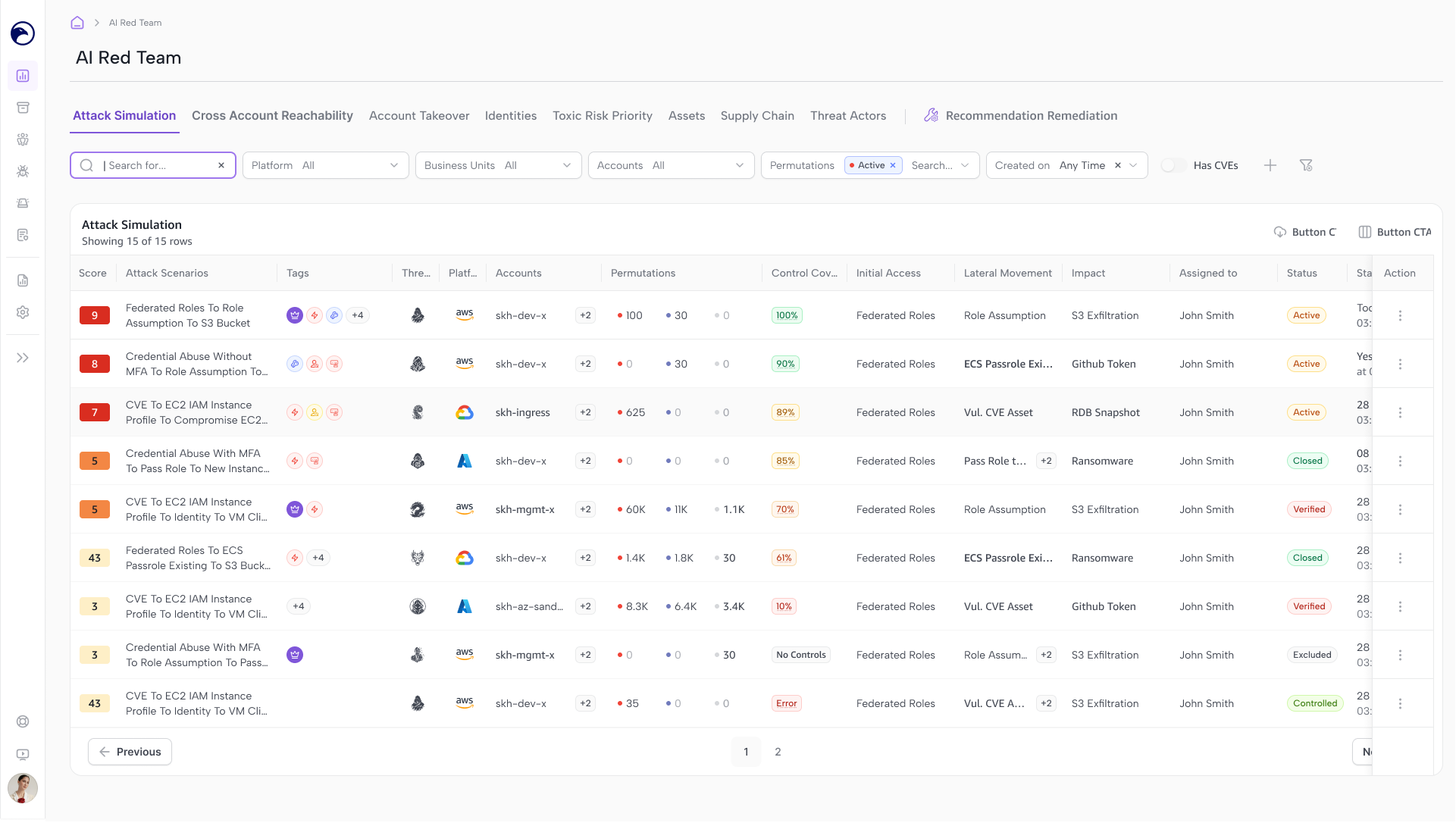
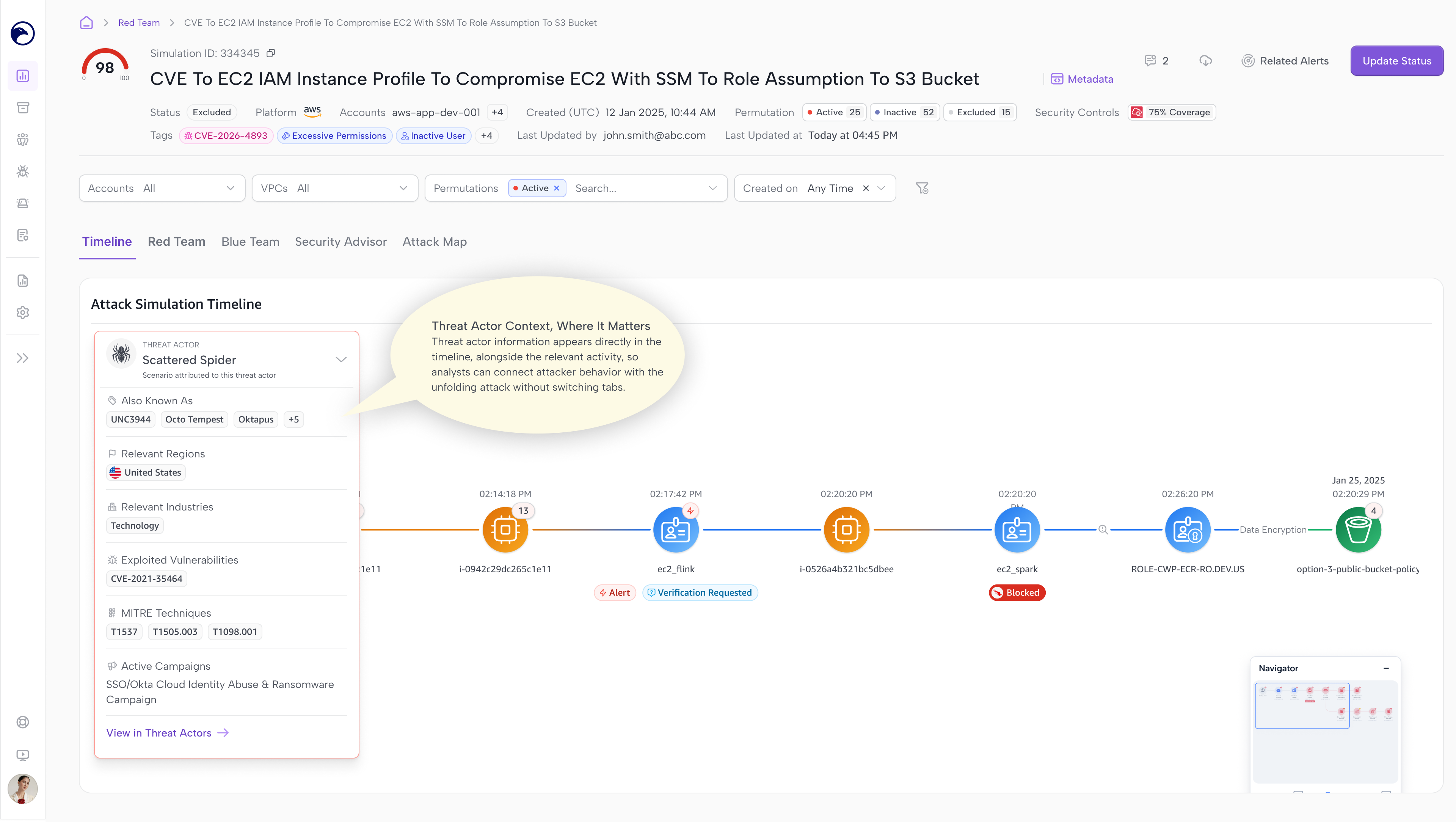
Refining the Attack Simulation Experience
- Improved information hierarchy and security context across the investigation flow.
- Added a timeline to show how activity unfolded over time.
- Refined tables to keep key details visible and accessible.
- Used consistent interaction patterns across investigation views.
- Connected findings to related attack scenarios and paths.
Outcome & Reflection
The work expanded Red Team beyond a single scenario-based starting point.
Users could approach the same attack data through accounts, identities, assets, or specific risks, then follow those connections into the attack scenarios.
The key design decision was giving each view a clear purpose while keeping the investigation connected.