Case Study: Vulnerability Management (Scanner Setup & Results)
Setting up a scanner was only the first step. Users also needed to manage what they scanned, find the results, and understand what those findings meant.
The challenge was to support different setup requirements for SaaS and Kubernetes, then give users a clear path from an application or infrastructure asset to its vulnerabilities and related attack simulations.
- Scanner setup flows for SaaS and Kubernetes
- Application selection and management
- Application and infrastructure results
- Vulnerability details and investigation flows
- Wireframes, prototypes, and UI design
- Jira specifications and developer walkthroughs
- UX Lead (My Role): User flows, interaction design, prototypes, UI design, and handoff.
- Data Visualization Designer: Requirements, technical clarification, and feasibility reviews.
User & Design Strategy
Security teams reviewing vulnerabilities, and the people responsible for setting up scanners and maintaining scan coverage.
- Complete setup with clear instructions.
- Manage applications during and after setup.
- Find vulnerabilities in applications and infrastructure.
- Understand where an issue occurs and how it connects to a possible attack.
- Different scanner types required different setup steps.
- Application selection was relevant to some flows, but not all.
- Creating a scanner and completing deployment were separate milestones.
- Application vulnerabilities and infrastructure findings needed appropriate detail without feeling like unrelated experiences.
I started with the PRDs and mapped the setup paths for different scanner and deployment combinations.
I needed to understand which details users had to provide, when application selection was required, and which deployments needed installation instructions.
I used AI to help explain unfamiliar scanning concepts, then checked my understanding with Product and Engineering before making design decisions.
Ideation & Prototyping
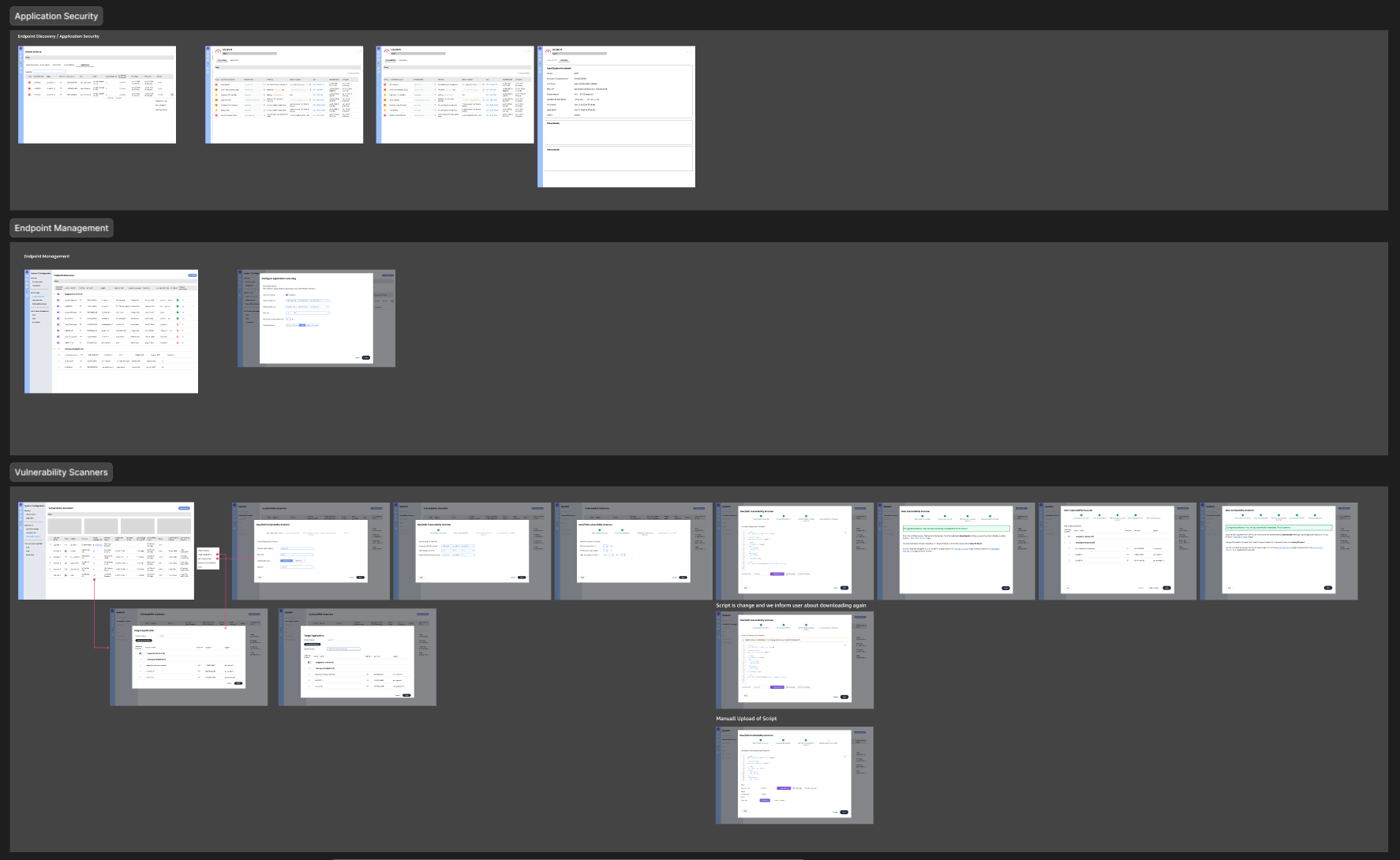
I worked through rough flows, early prototypes, and UI iterations to explore how the setup and results would fit together.
The working files helped me compare options, discuss technical requirements, and simplify the initial scope.
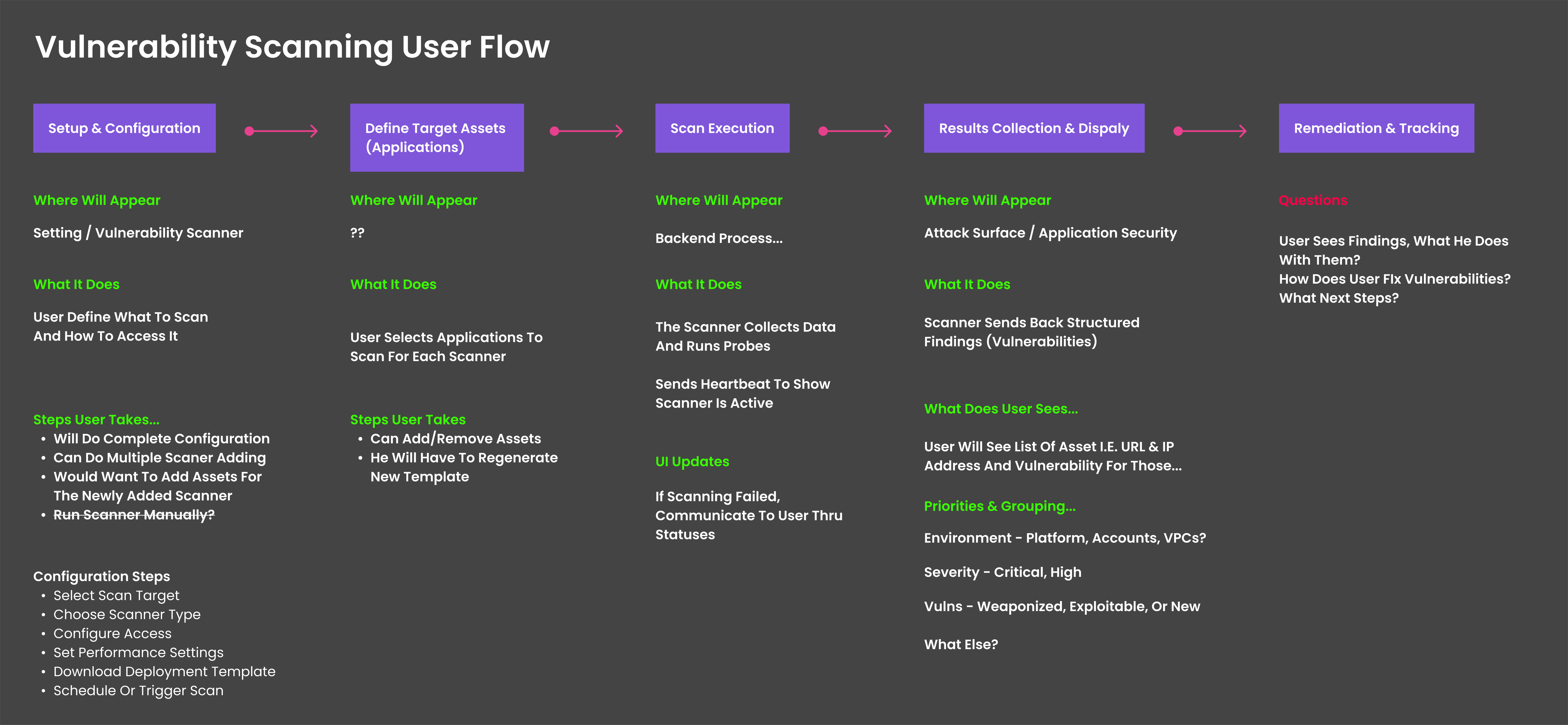
User Flow: Mapping the journey from scanner setup to scan results.
Wireframes: Shaping the steps, choices, and guidance for a clear setup experience.
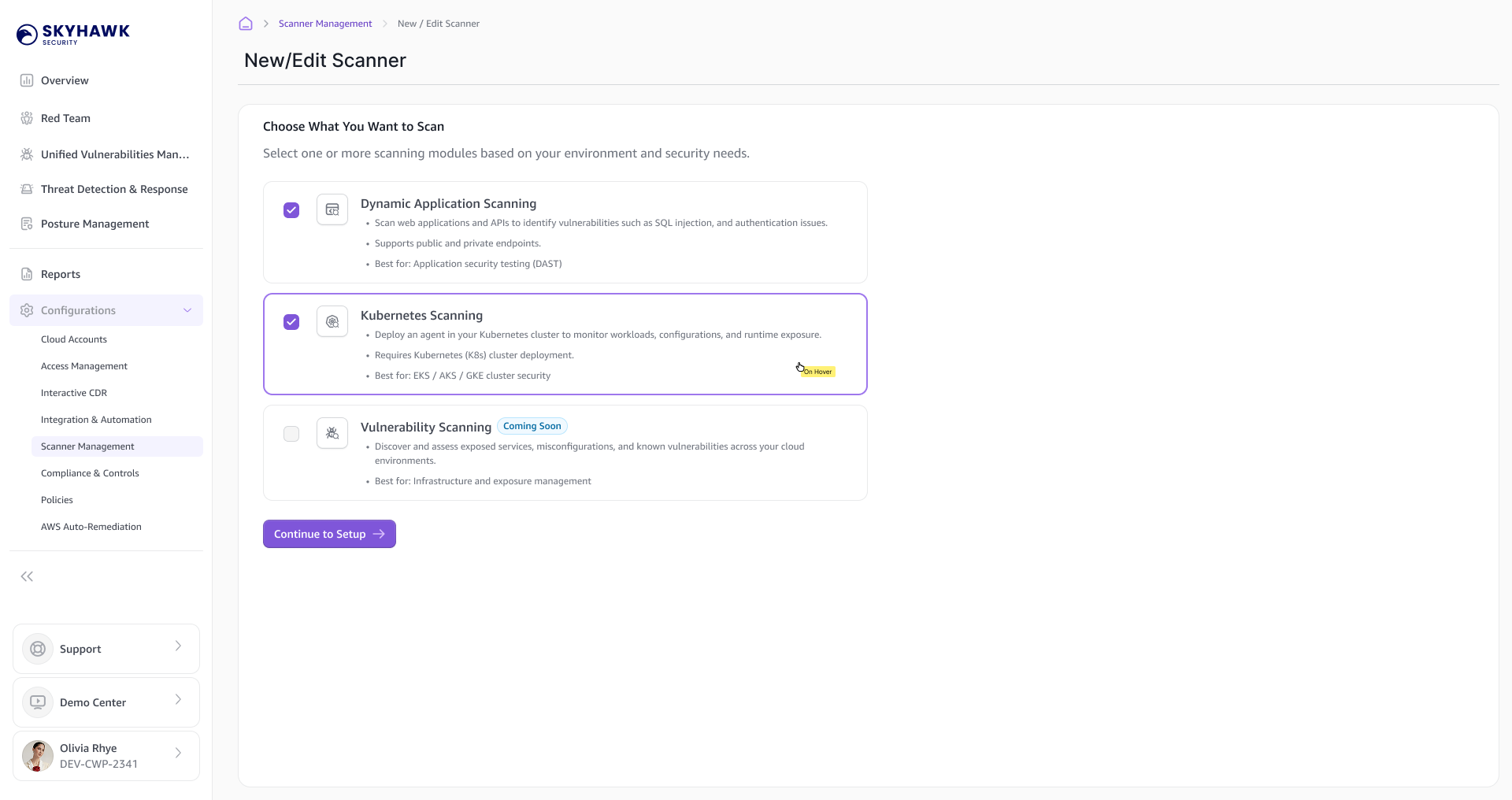
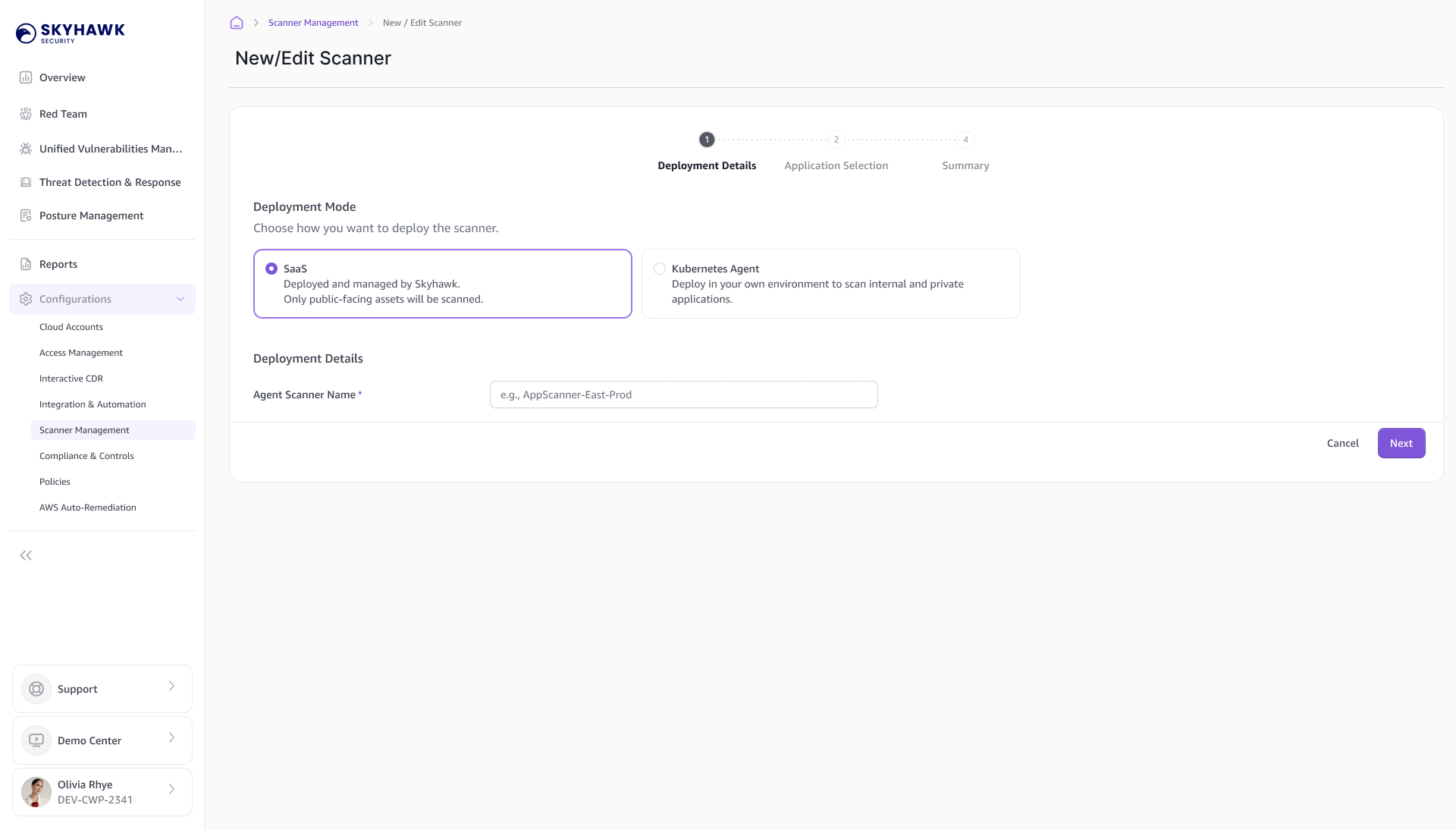
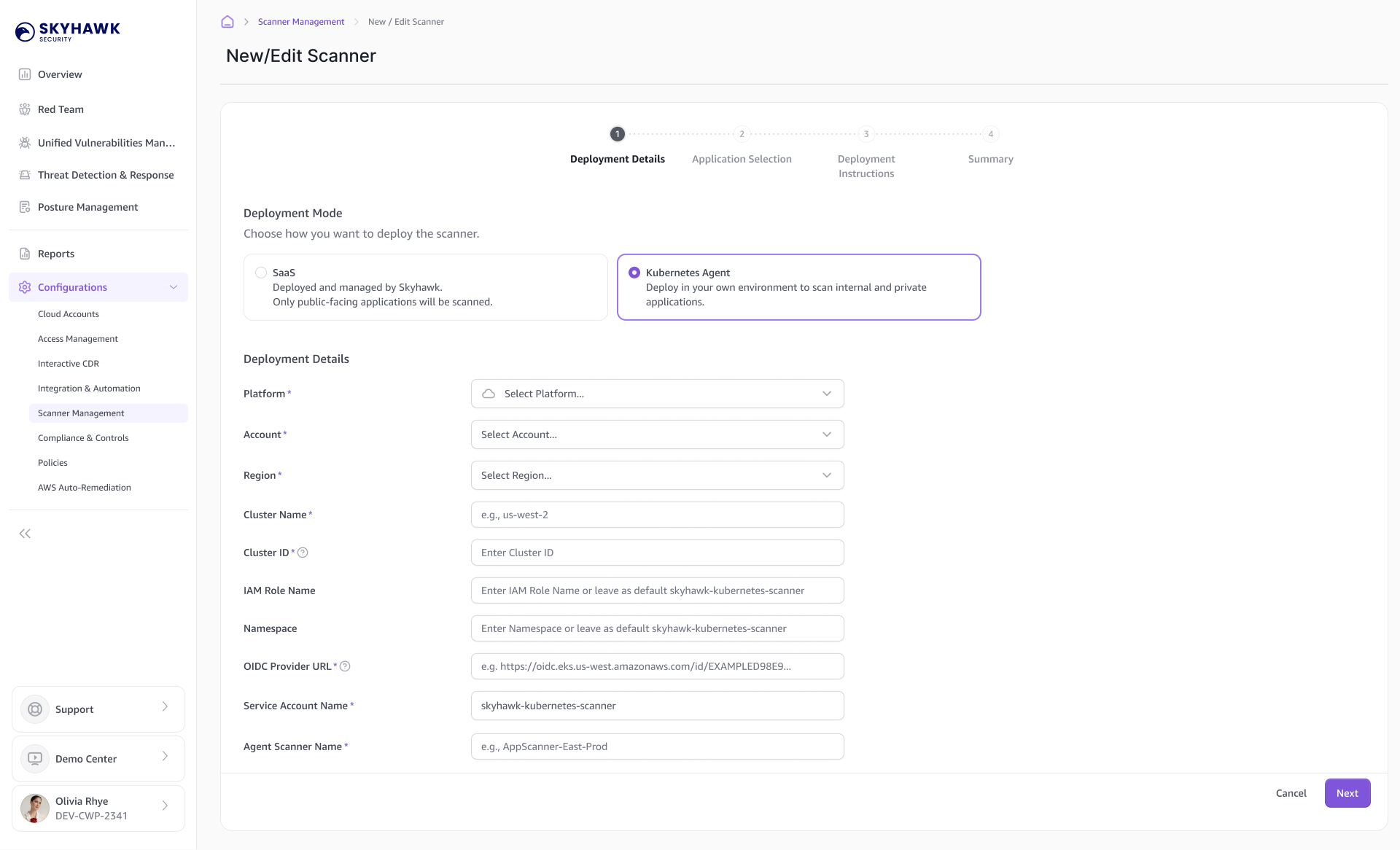
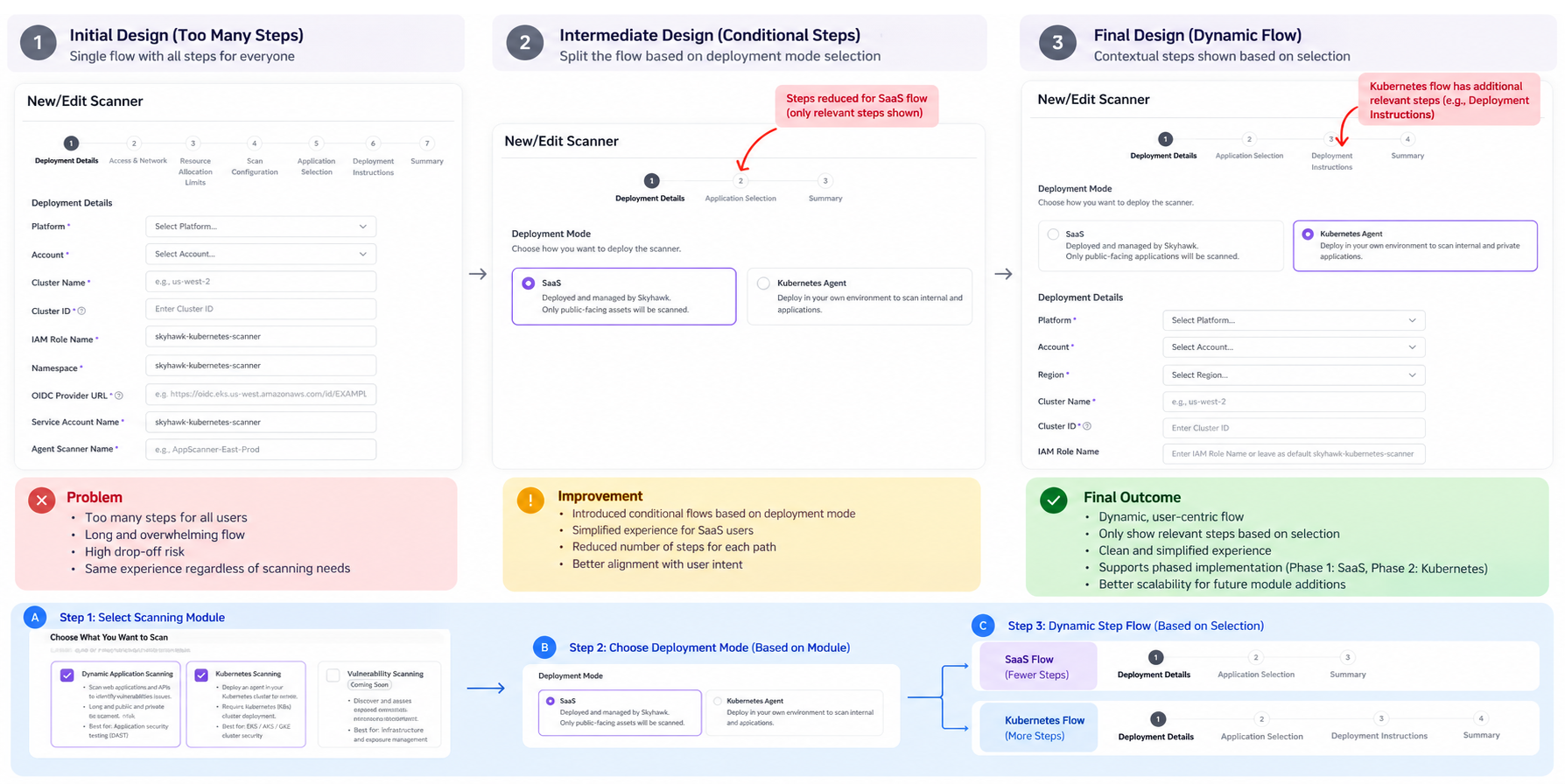
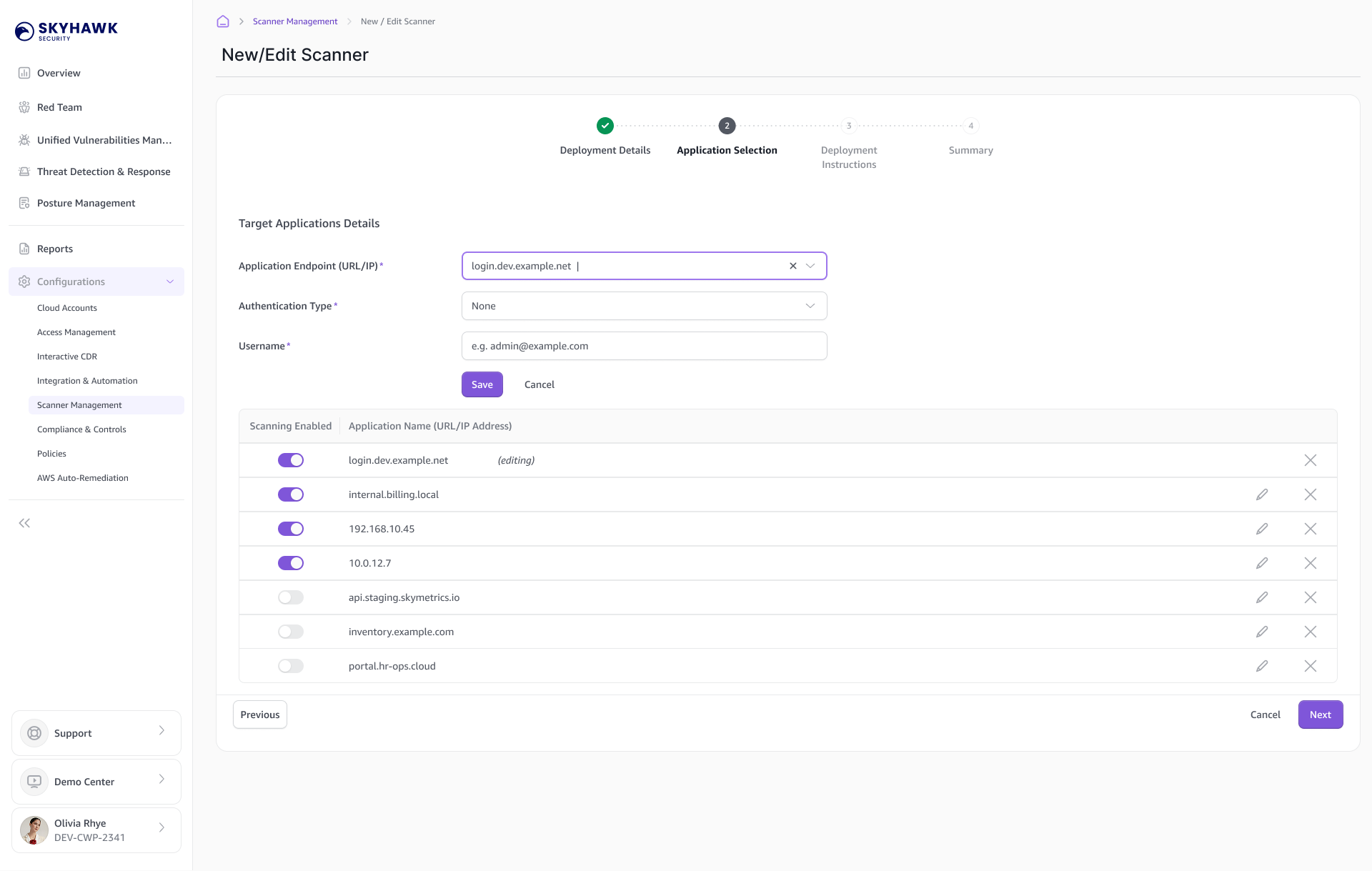
Scanner Management: Show the Relevant Steps
The setup flow changed based on what users selected.
For SaaS, users could move through configuration without an installation step when none was needed. Kubernetes required deployment details and instructions for installing the agent.
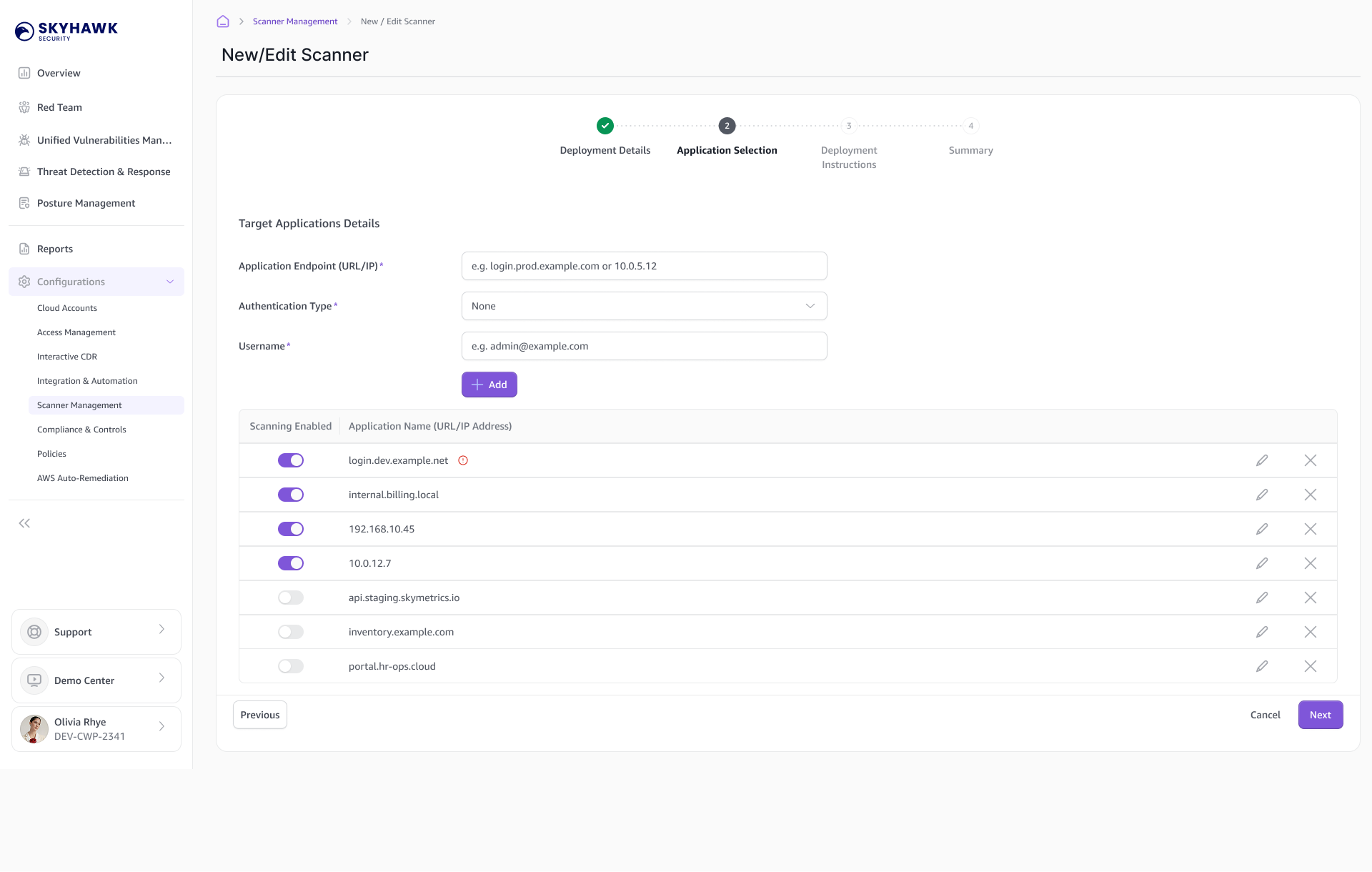
Application selection appeared when application scanning was included.
The aim was to keep each flow focused, with enough guidance to explain what users needed to do next.
Managing Applications
Application management was part of both setup and ongoing maintenance. Users could select applications while adding a scanner and update them later as their scanning needs changed.
Deployment Instructions & Summary
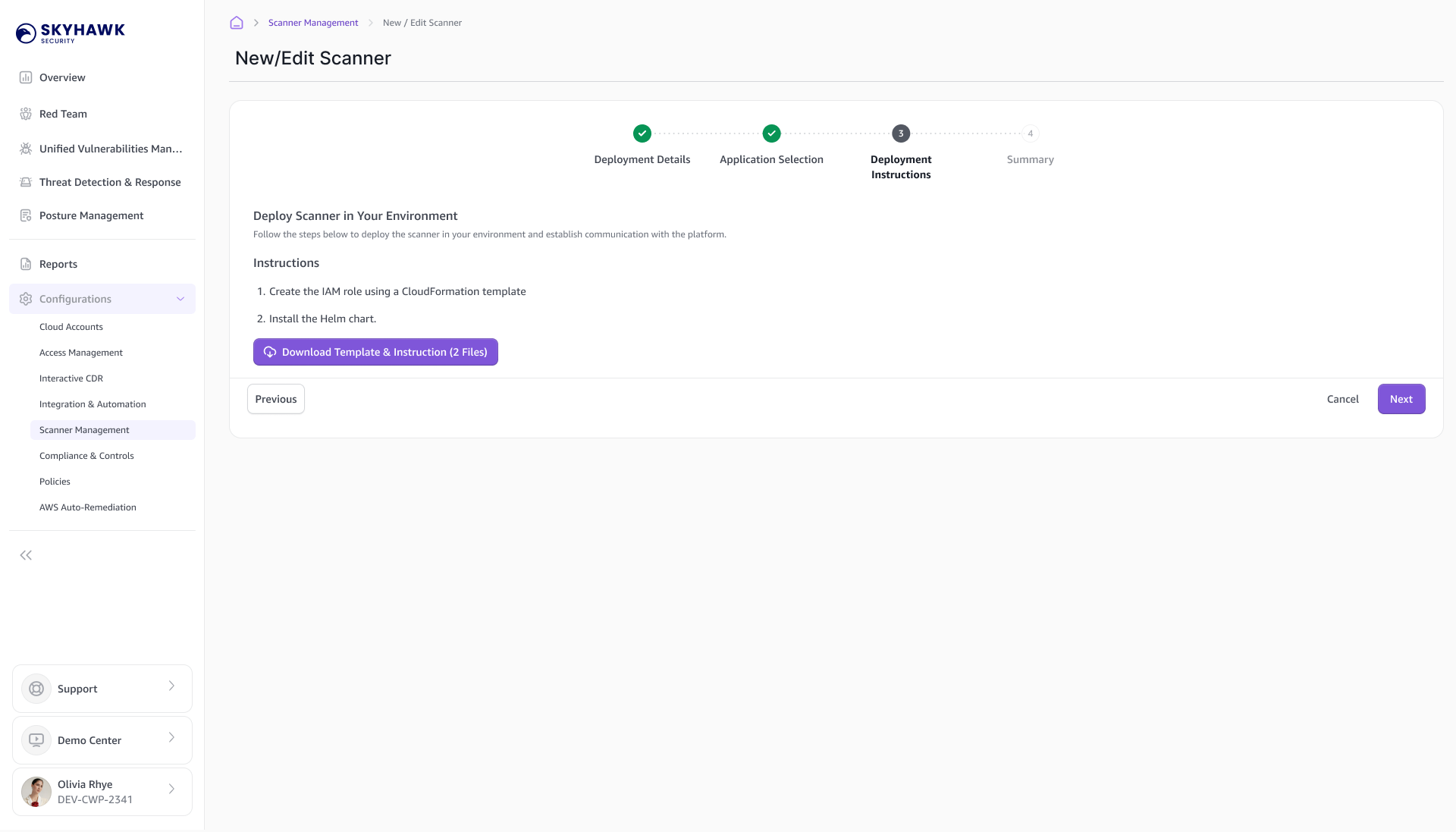
For deployments that required installation, I made the instructions and downloads part of the flow.
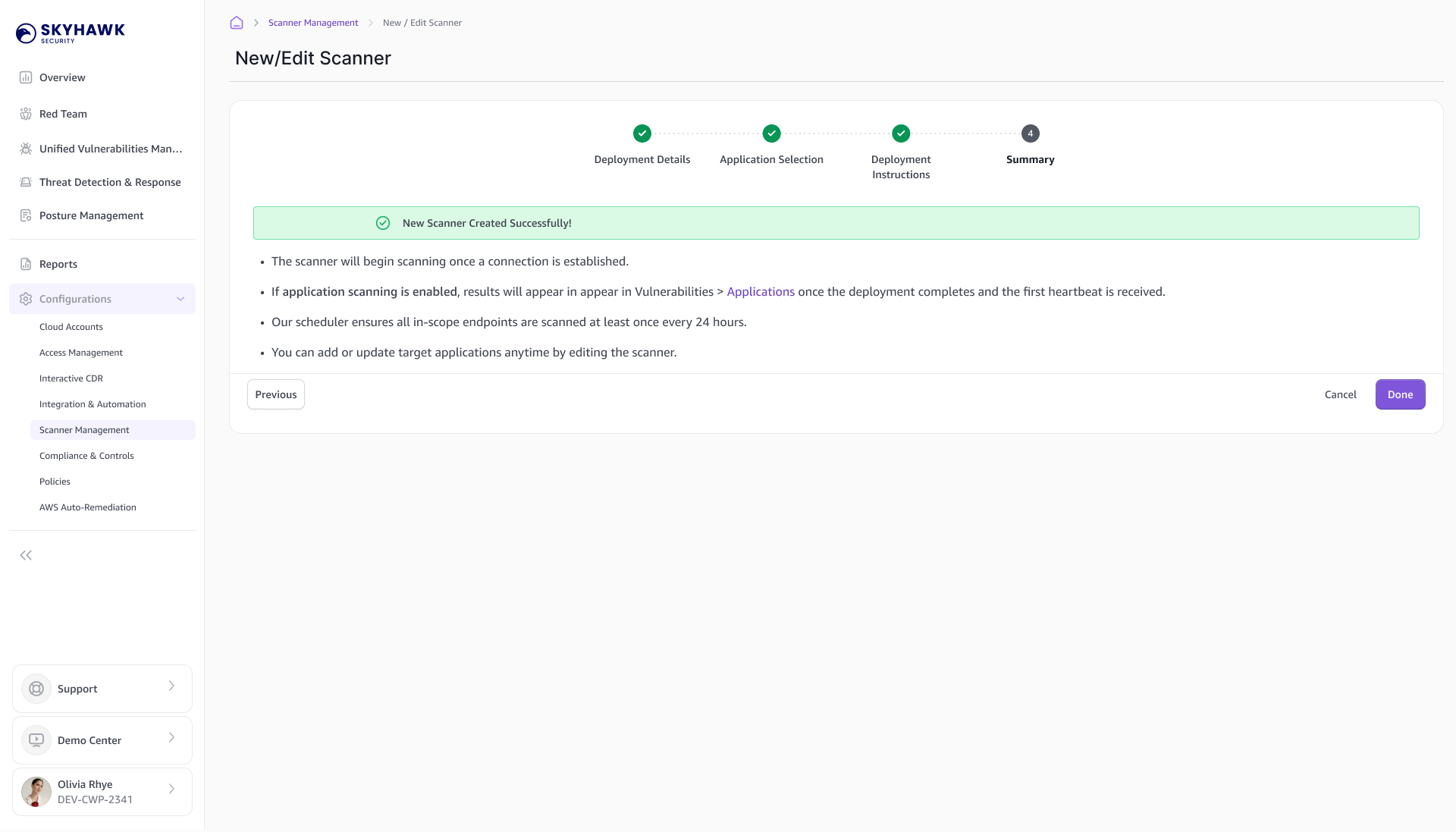
The summary explained what had been configured, what remained to be done, and what to expect next.
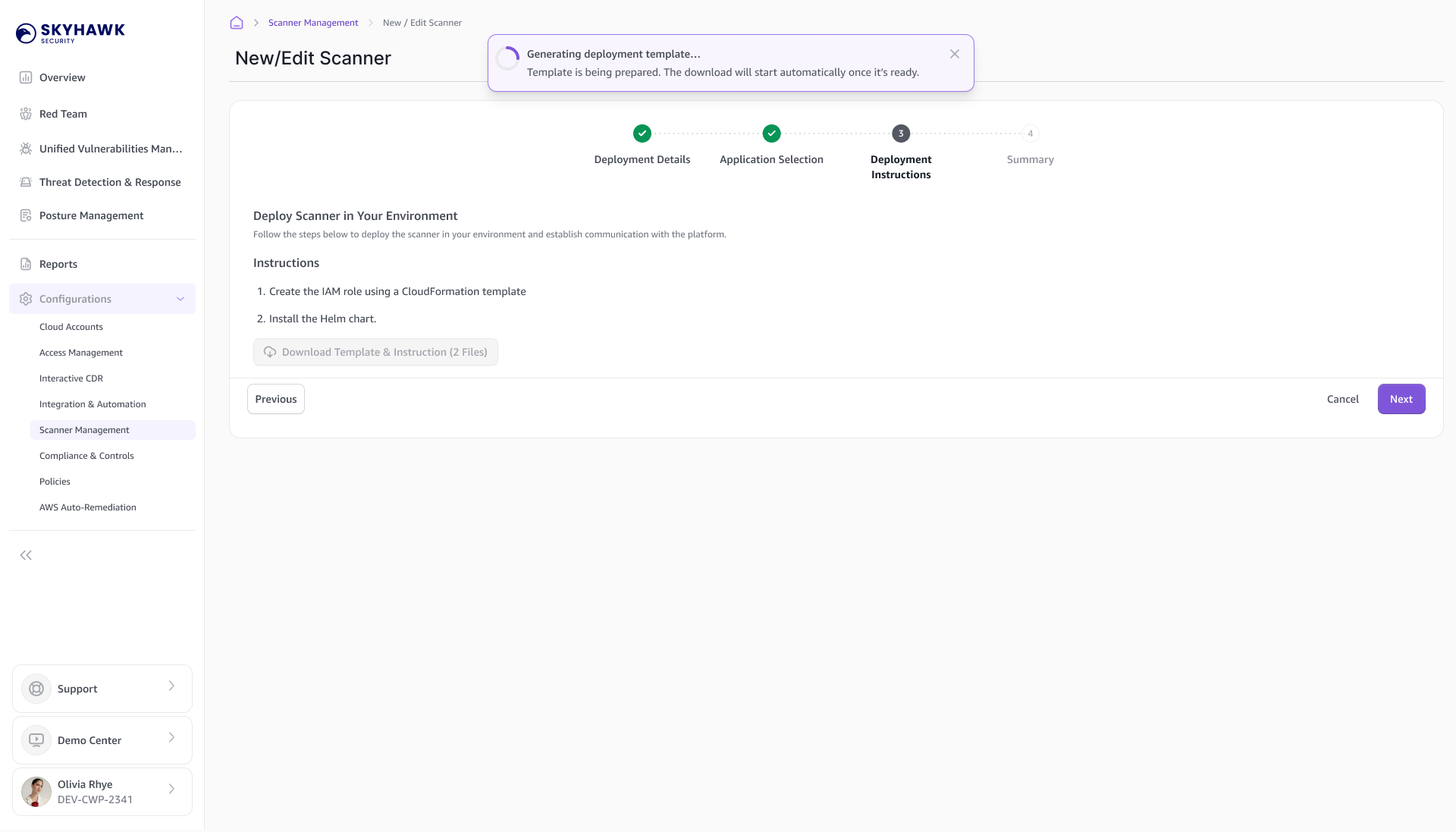
Deployment Instructions · Reduce Uncertainty During Setup
Guides users through the deployment process with clear instructions, progress feedback, and visibility into generated files—so they always know what’s happening, what they need to do, and what to expect next.
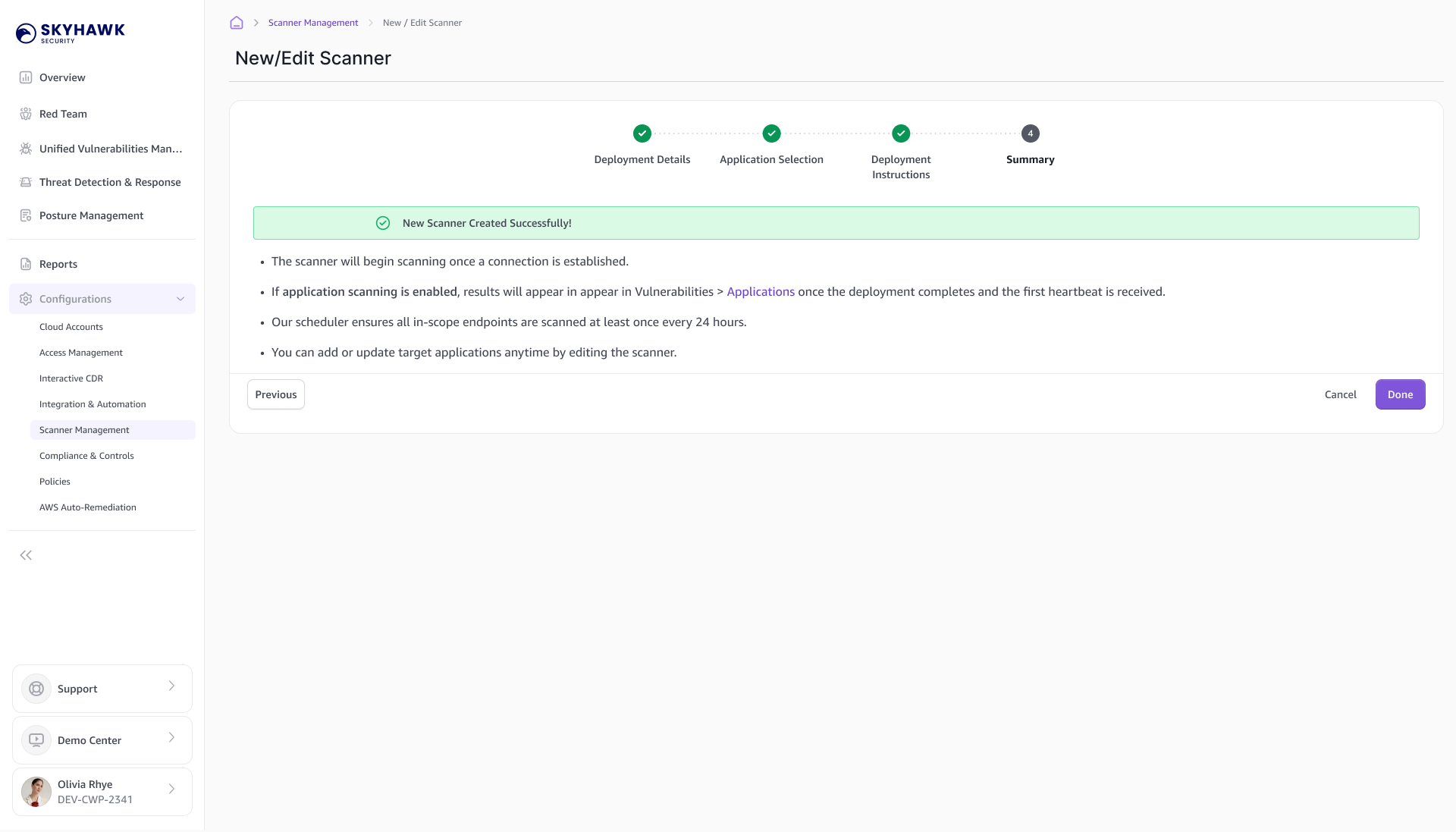
Summary · Give Users Confidence in the Outcome
Closes the loop by clearly communicating success or failure, explaining next steps, and showing where results will appear—turning a potentially ambiguous technical process into a predictable experience.
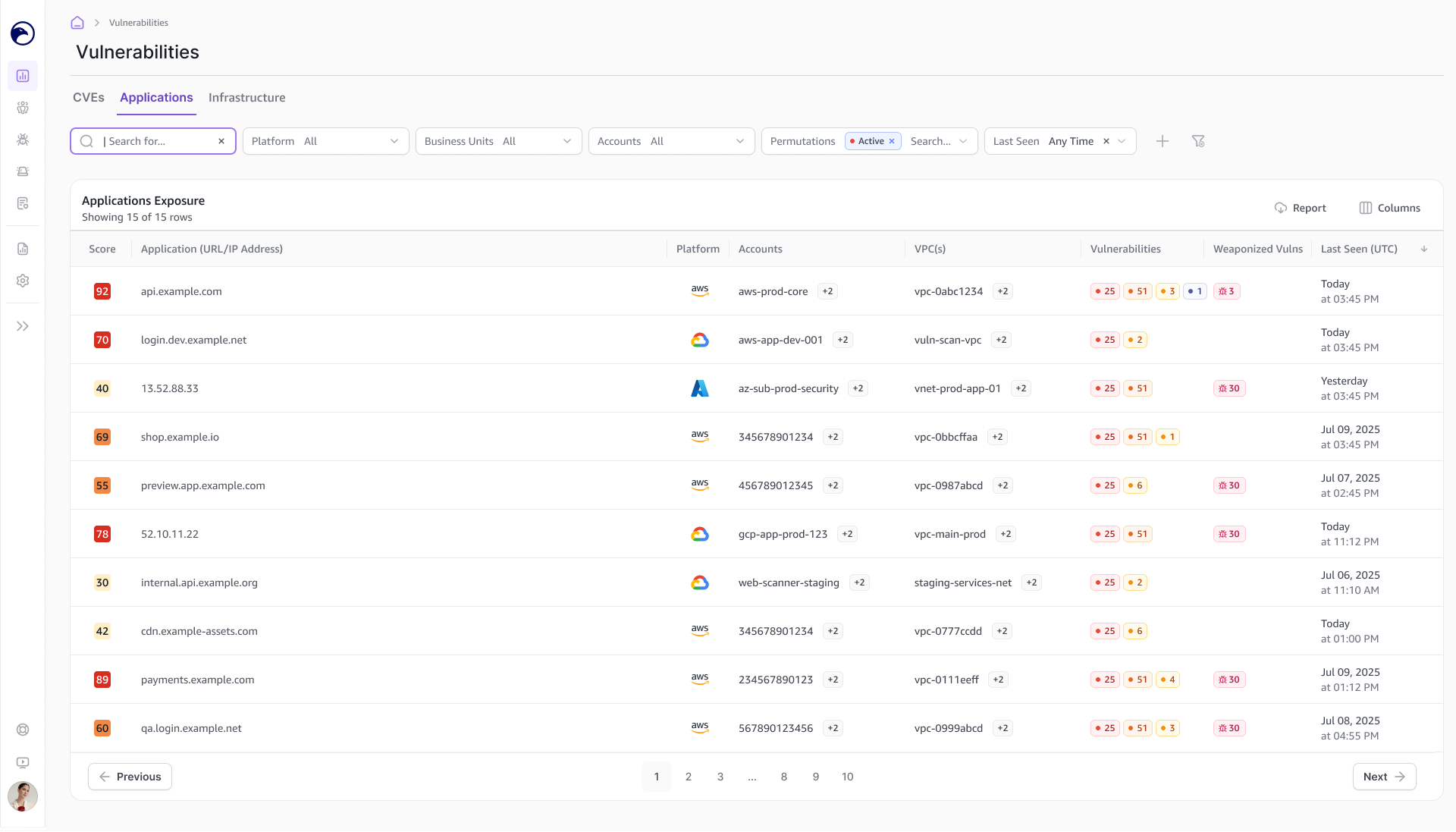
Application Results: From Application to Issue
The Application view started with the applications being scanned and their findings.
Users could open an application to review its vulnerabilities and CVEs. The details showed where an issue occurred, with information such as the affected path, evidence, and attack payload where available.
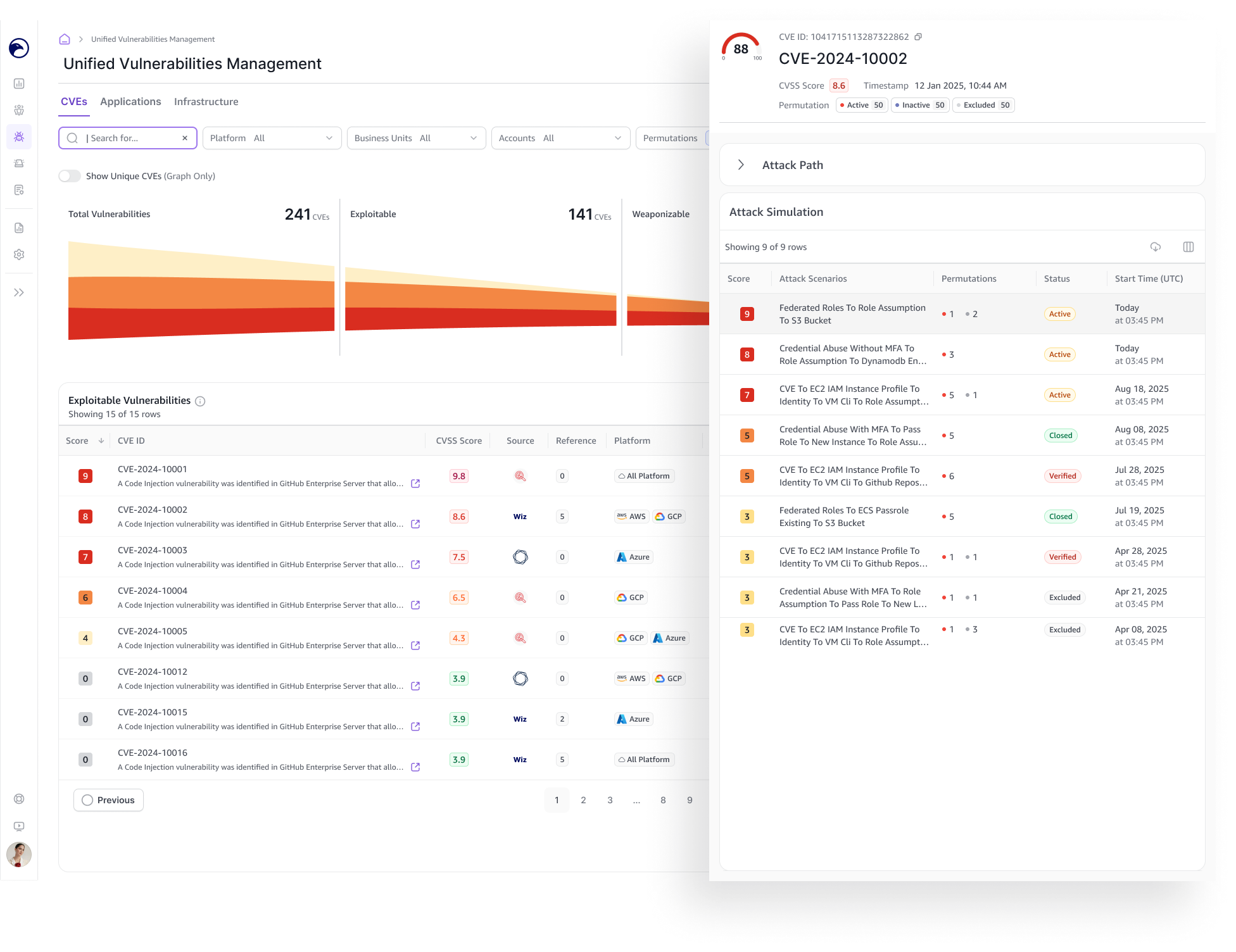
From a vulnerability, users could open a side panel to explore related attack paths and attack simulations.
Application Exposure
See Where Applications Are at Risk
Brings scanned applications and their vulnerability findings together, giving users a starting point for investigation.
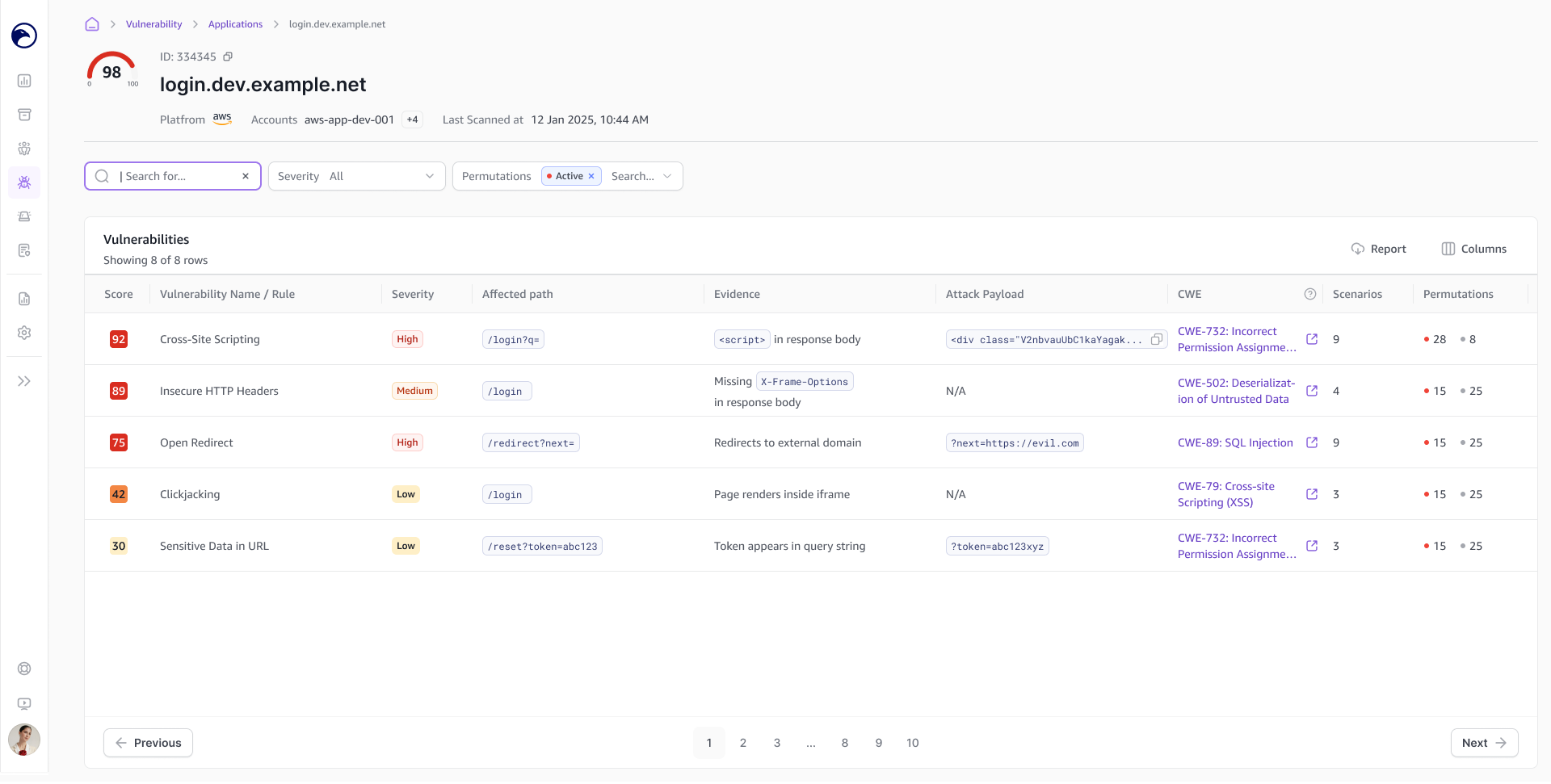
Application Vulnerabilities
Pinpoint the Issue
Shows where a vulnerability occurs, with related CVEs and supporting details to help users understand the finding.
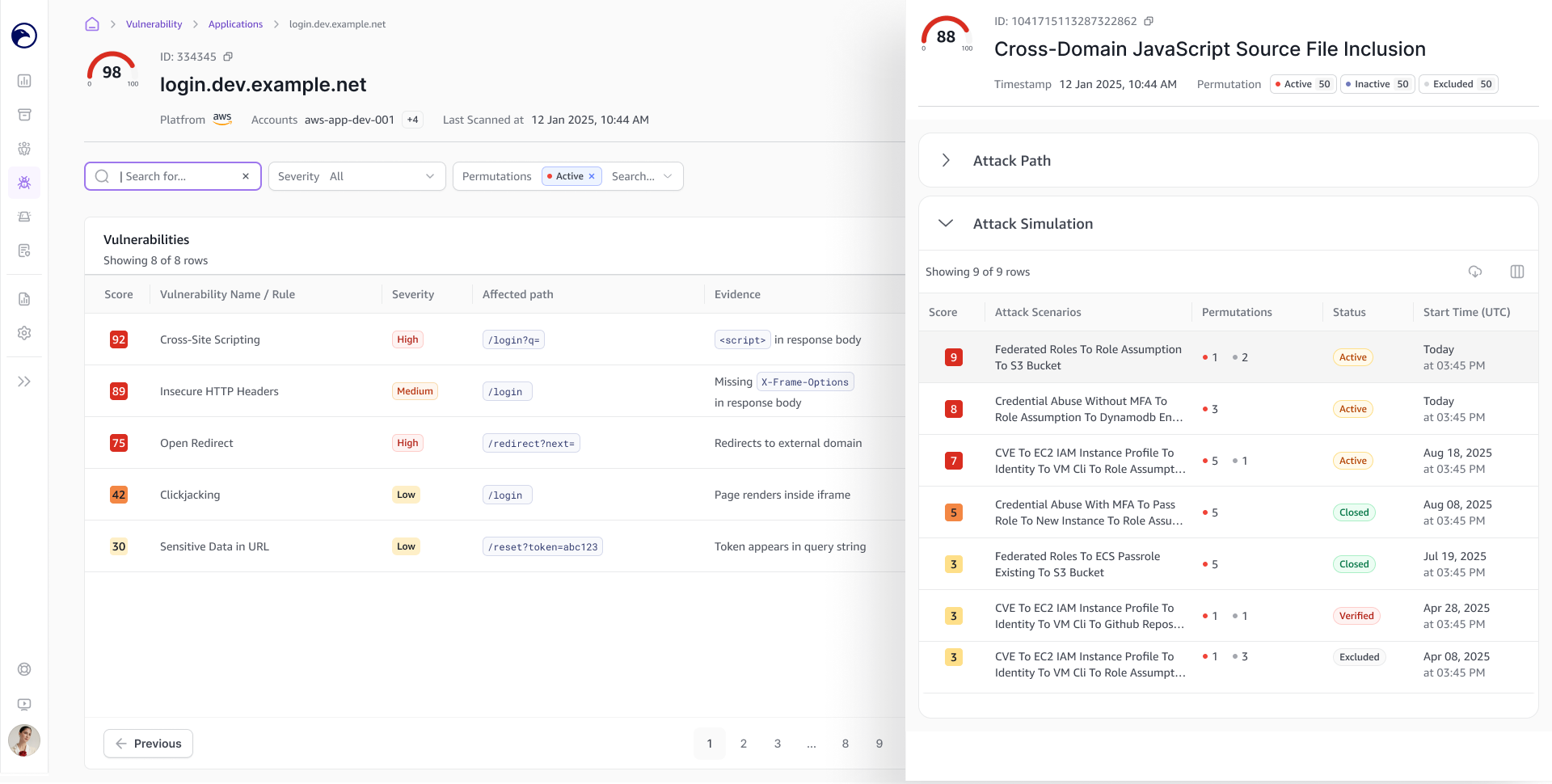
Attack Simulations
Connect the Finding to an Attack
A side panel shows related attack simulations, helping users understand how the vulnerability could contribute to an attack.
Infrastructure Results: From Asset to Vulnerability
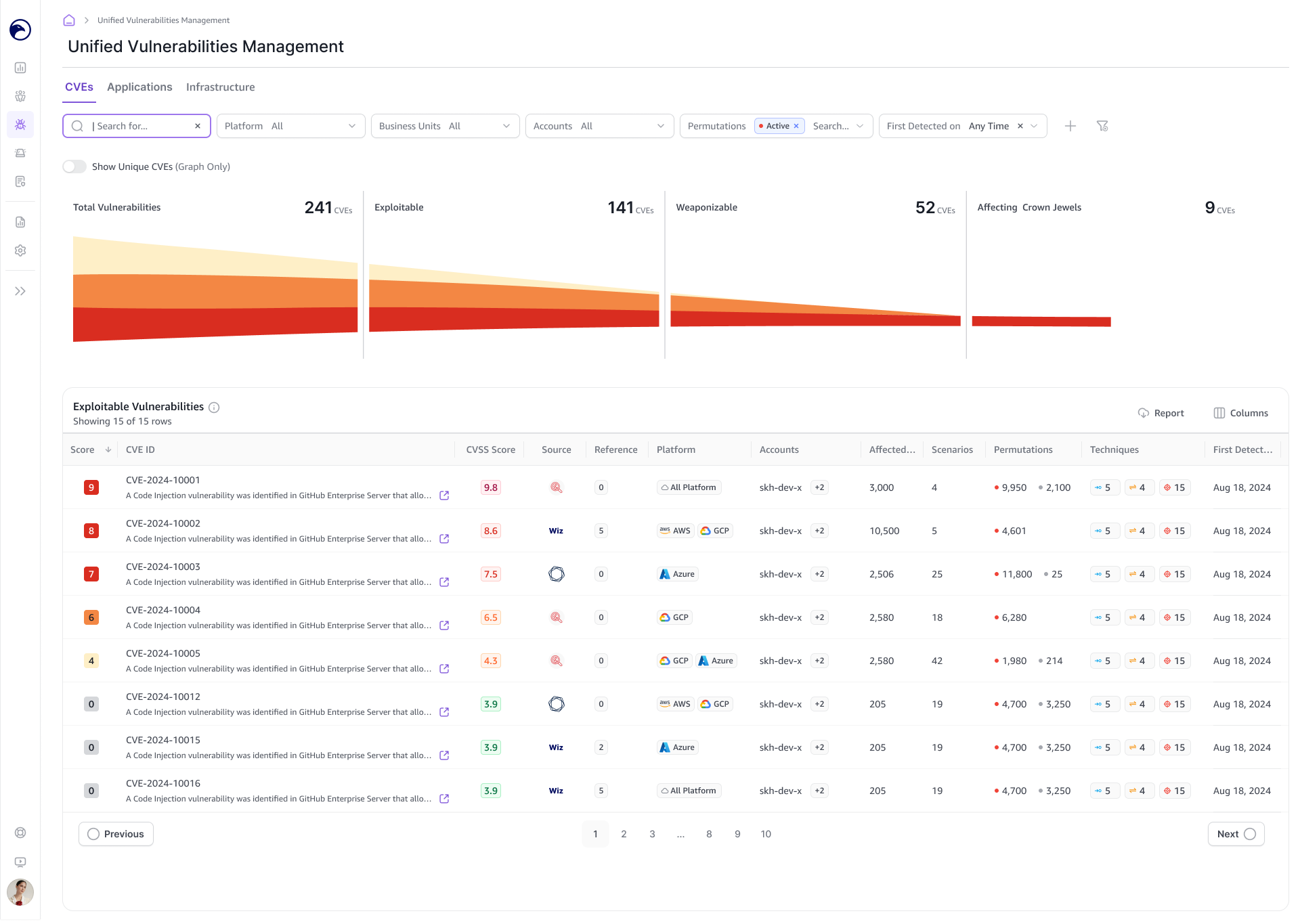
The Infrastructure view followed a similar pattern, starting with affected assets.
Users could filter the list, open an asset, and review its vulnerabilities and CVEs. Related attack information was available from the finding details.
Using a similar investigation flow across both views gave users a familiar way to move through different types of results.
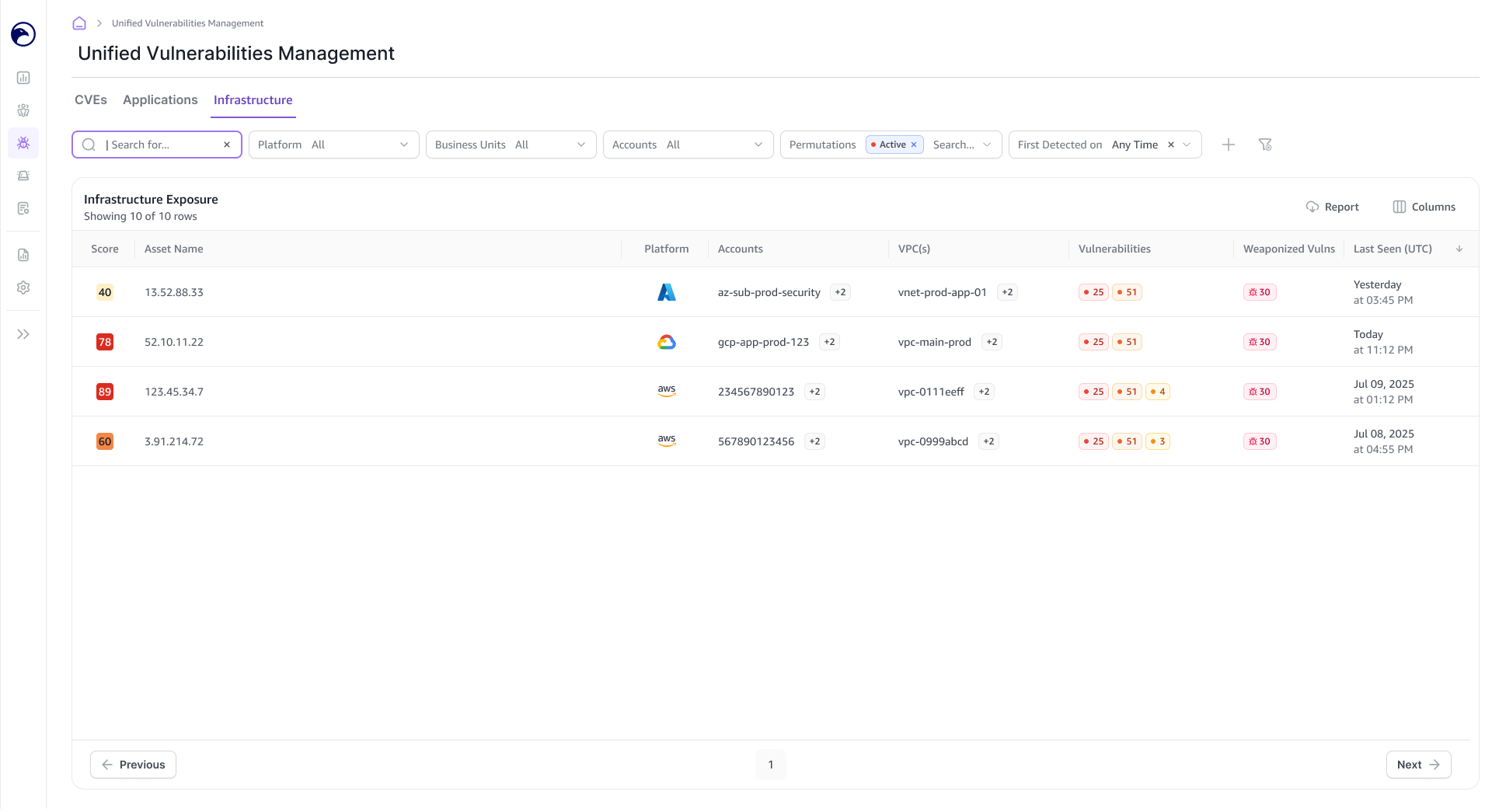
Infrastructure Exposure
See Which Assets Are at Risk
Brings affected assets and their vulnerability findings together, giving users a starting point for investigation.
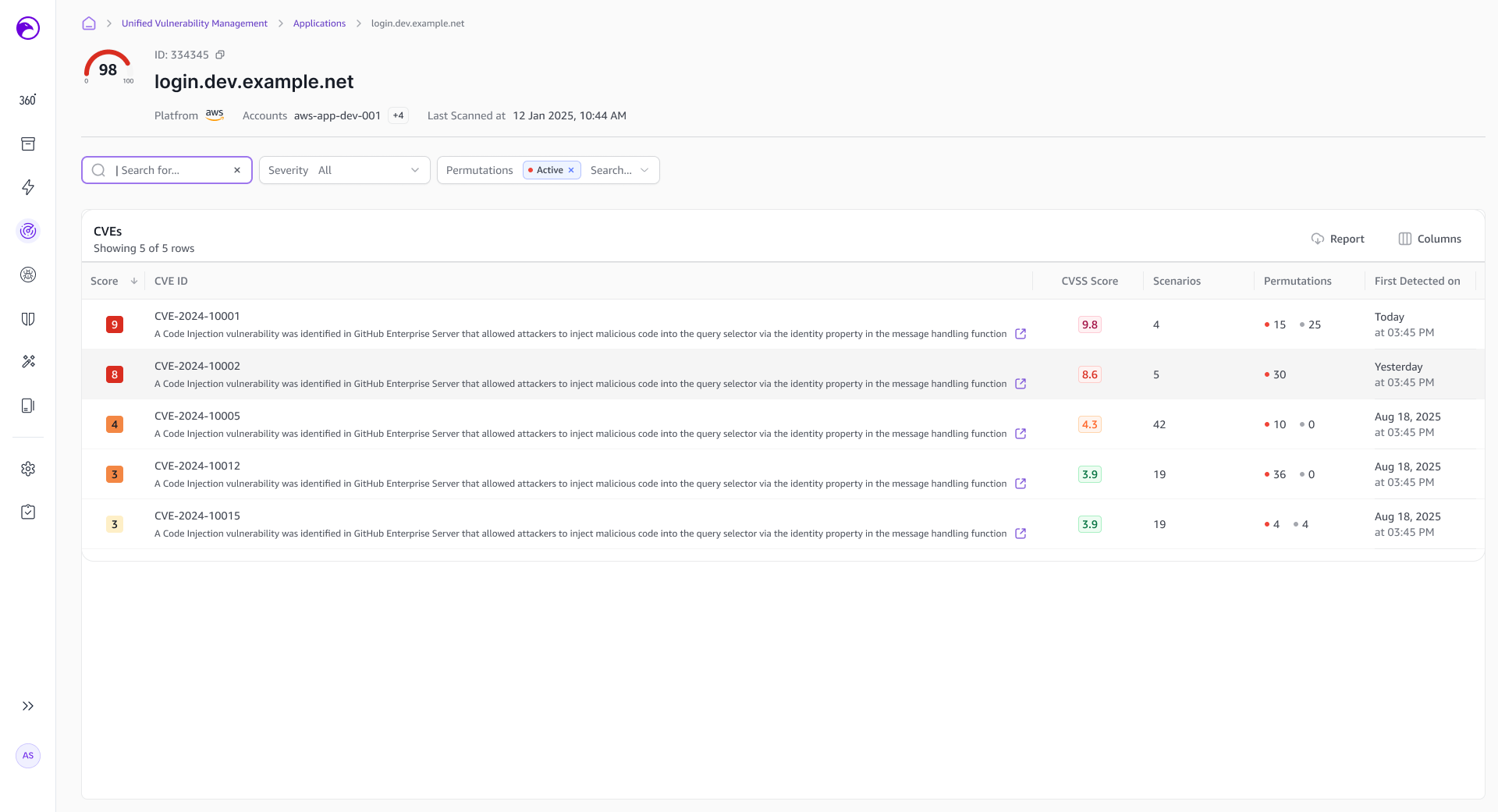
Infrastructure Vulnerabilities
Examine the Findings
Shows the vulnerabilities and CVEs affecting a selected asset, with supporting details to help users understand the risk.
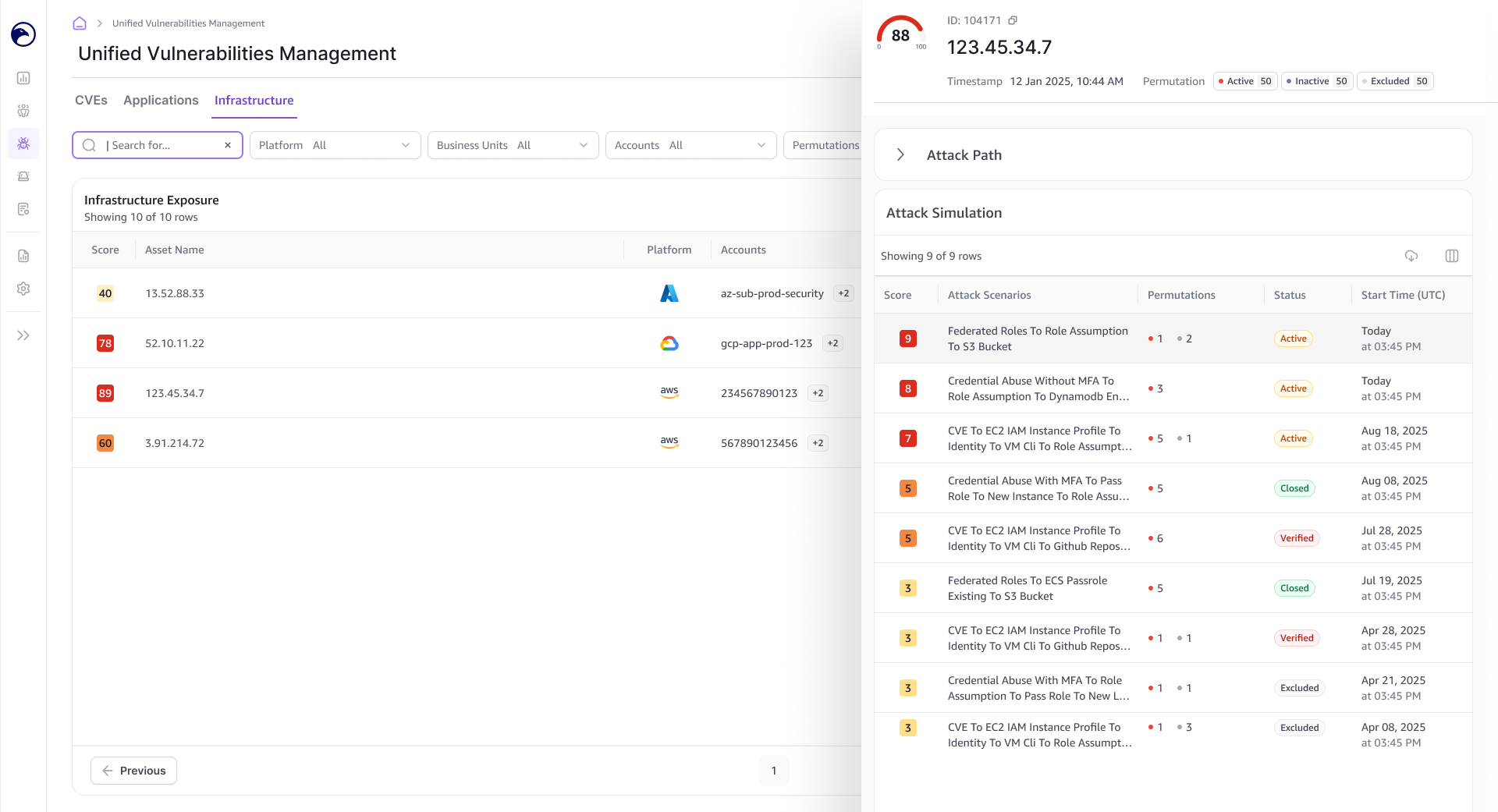
Attack Simulations
Connect the Finding to an Attack
A side panel shows related attack simulations, helping users understand how the vulnerability could contribute to an attack.
Design Handoff
I documented the flows and interactions in Jira and walked developers through the screens.
The handoff covered setup variations, navigation, side panels, downloads, and empty and error states.
Outcome & Reflection
The design covered the journey from scanner setup to reviewing findings across applications and infrastructure.
The main lesson was that setup and results had to be considered together. Users needed to understand what they had configured, what would happen next, and where to go when findings became available.